
Last verified: 2026-07-24
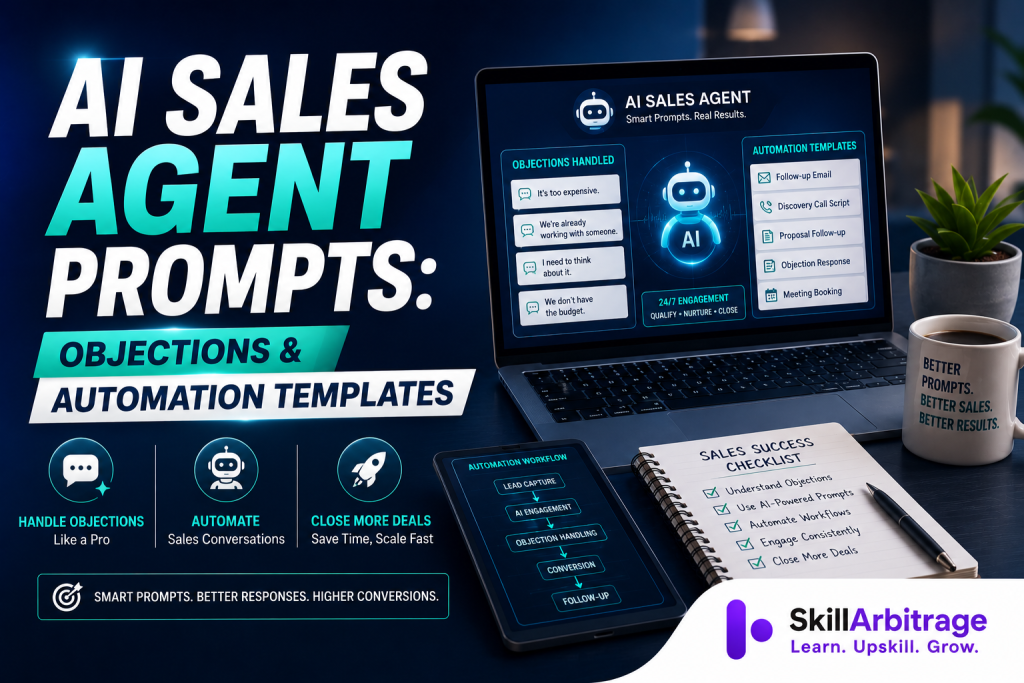
AI sales agent prompts are the written instructions you give a large language model so it can do sales work: answer an objection, qualify a lead, draft a follow-up, or turn a call recording into clean notes. A clear prompt sets five things: the role the model plays, the facts it can use, the task, the rules it must follow, and the format of the reply. Get those right and a general tool like ChatGPT, Claude, or Gemini can write messages you can send as they are, in your voice and within your rules. This article gives you copy-ready objection-handling prompts and automation templates, plus how to connect them to your CRM.
This article sets out how AI sales agent prompts work, ready-to-use objection and automation templates, and how to connect them to the tools you already use.
First, some context. Salesforce’s State of Sales research finds that sales reps spend under a third of their week actually selling. The rest goes to admin, data entry, and internal meetings. The same research says 81% of sales teams already use or test AI. Prompts are the cheapest way to save some of that time. They need no budget and no engineering, just clear instructions.
You don’t need a technical background for any of this. If you can brief a new colleague in writing, you can write a sales prompt. The templates below assume you sell a real product or service, to businesses or to consumers, and you want the AI to sound like a person rather than a brochure.
How AI sales agent prompts work
An AI sales agent prompt works by giving the model five things: a role, the facts it needs, the task, the rules, and the format of the answer. Leave one out and the quality drops. With no role, the model writes generic marketing copy. With no facts, it invents details about your product. With no format, it gives you three paragraphs when you wanted two lines.
The simplest way to picture it is a brief for a new hire on their first day. You wouldn’t say “handle this customer.” You’d say who the customer is, what you sell, what this person has already told you, what you’re allowed to offer, and what a good reply looks like. The model needs the same. OpenAI’s own prompt engineering guide makes the same point: give the model a role, be specific about the task, and show the format you want.
Here’s a skeleton you can reuse for almost any sales task. Fill in the brackets and you have a working prompt.
Role: You are an experienced B2B sales rep for [COMPANY], which sells
[PRODUCT] to [BUYER TYPE]. Your tone is warm, direct, and never pushy.

Context: The prospect is [NAME/ROLE] at [COMPANY SIZE/INDUSTRY]. So far
they have said: [PASTE WHAT THEY SAID]. Our offer: [PRICE, PLAN, KEY BENEFIT].

Task: [Write the reply / qualify this lead / draft the follow-up].

Rules:
- Never invent features, prices, or case studies. If a fact is missing, ask for it.
- Keep it under [N] words.
- One clear next step at the end.
- No exclamation marks, no hype words.

Output: [A short email / three qualifying questions / a two-line chat reply].
Look at the “never invent” rule. It’s the most important line in any sales prompt. A model that makes up a discount or a feature can cost you a deal or a refund, so keep that rule in every template you build.
One more distinction helps before the templates. A one-off prompt is something you type into a chat window when you need a single answer. An AI sales agent is the same instruction set running all the time, connected to your email or CRM, acting on new leads without you retyping anything. The prompt is the instruction; the automation is what runs it. Most people start with one-off prompts and move to agents once they trust the output. That’s the right order.
| Part | What it does | What to write |
|---|---|---|
| Role | Sets the persona so the tone and judgement fit sales. | “You are an experienced B2B rep for [COMPANY].” |
| Context | Feeds the facts so the model stops guessing. | Prospect details, what they said, your price and offer. |
| Task | States the one job to do. | “Write the reply / score this lead / draft the follow-up.” |
| Rules | Sets guardrails that protect the deal. | “Never invent facts. Under 90 words. One next step.” |
| Output | Fixes the shape so you can use it as-is. | “A short email / three questions / a two-line reply.” |
Objection handling prompts for AI sales agents
Objection handling prompts give the AI a specific objection plus the rules for answering it. A good one makes the reply do three things: acknowledge the concern, reframe it, and move the conversation forward. The rest of this section gives you the exact wording for the six objections that come up most.
One note on scope. SkillArbitrage already has a full guide to how to use AI to handle common sales objections and close more deals, which covers the method: building an objection library, training the AI on your sales materials, and improving the replies over time. This section is more hands-on. It gives you prompts you can paste in now.
The first objection is price: “It’s too expensive.” The reply shouldn’t defend the number or drop it. It should reframe the price against the cost of the problem, then ask a question.
Role: You are a calm, consultative sales rep for [COMPANY].
Objection from the prospect: "It's too expensive."
What we know: They liked [FEATURE] and their main goal is [OUTCOME].
Our price: [PRICE]. We do not discount, but we offer [PAYMENT PLAN / TIER].

Write a reply that:
- Acknowledges the concern honestly (no "I understand, but").
- Reframes price against the cost of their current problem or workaround.
- Asks one question to find what "expensive" is being compared to.
- Ends with a next step, not a hard close.
Keep it under 90 words. Warm, not defensive.
“Too expensive” is rarely about the money. It’s usually about unclear value or a comparison you can’t see yet. That’s why the question at the end matters more than the reframe.
The second objection is timing: “This isn’t the right time.” The reply should take that at face value, name one real cost of waiting, and offer a small next step.
Objection: "This isn't the right time."
Rules for the reply:
- Take it at face value; do not pressure.
- Name one concrete cost of waiting that's specific to [THEIR SITUATION].
- Offer a low-commitment next step (a resource, a 15-minute call next month).
- Ask what would need to be true for the timing to work.
Under 80 words. No guilt, no urgency tricks.
Three shorter objections follow, and each needs its own instruction. For “we already use [competitor],” tell the AI not to criticise the rival and to ask about the one thing that isn’t working today. For “I need to check with my team,” have it give the prospect two bullet points they can forward to their manager, focused on [OUTCOME] and [RISK OF INACTION]. For “just send me some information,” tell it to send one specific resource and propose a short call to walk through how it applies to [THEIR USE CASE]. The table below maps each objection to the instruction you give.

The sixth objection is doubt: “I’m not sure this will actually work for us.” This one isn’t about price or timing. It’s about belief, and the only thing that shifts belief is proof. This is where the “never invent facts” rule matters most, because the temptation to make one up is strongest here. Give the model a real one instead.
Objection: "I'm not sure this will actually work for a business like ours."
What we can prove: [ONE REAL RESULT / RATING / NAMED CASE STUDY],
for a customer similar to them: [SEGMENT].

Write a reply that:
- Names that one specific, real proof point (a result, a rating, a case study).
- Ties it to THEIR situation, not a generic benefit.
- Offers a low-risk way to test the claim (a trial, a reference call, a demo).
- Never invents a number, customer, or outcome. If proof is missing, say what
  we can honestly show instead and ask what evidence would convince them.
Under 100 words.
Use that “one real proof point” instruction in every objection reply, not just this one. The five proofs SkillArbitrage lists in its guide to marketing proofs that boost conversions (authority, hard evidence, an honest origin story, real motive, and genuine constraints) are what a doubt reply should lean on, and each one only works if it’s true.
One technique improves all six prompts. Ask the model for two or three tone versions (direct, warm, and brief) and pick the one that fits the prospect. You get options in a single run instead of prompting again for a different feel.
The pattern across all six is the same. You’re not asking the model to “handle the objection.” You’re telling it the exact move: acknowledge, reframe, ask, advance. Give the model the move and it performs. Give it the problem alone and it guesses.
| Objection | The move to instruct | Key rule to add |
|---|---|---|
| “It’s too expensive” | Reframe price against the cost of the current problem; ask what it’s compared to. | No discounting; end with a question, not a close. |
| “Not the right time” | Name one concrete cost of waiting; offer a low-commitment next step. | No urgency tricks, no guilt. |
| “We already use [competitor]” | Skip trash-talk; ask about the one thing not working today. | Never disparage the rival by name. |
| “I need to check with my team” | Arm the prospect to sell it internally with two forwardable bullets. | Focus on outcome and risk of inaction. |
| “Just send me info” | Send one tailored resource; book a reason to reconnect. | One specific asset, not a brochure dump. |
| “Not sure it’ll work for us” | Answer doubt with one real proof point; offer a low-risk way to test it. | Never invent a result, rating, or case study. |
Sales automation prompt templates
Sales automation prompt templates are reusable prompts for the repetitive work that fills a rep’s week: qualifying leads, writing outreach, chasing follow-ups, and logging calls. These are the tasks the Salesforce research points to as the time drain. They’re also the safest place to start, because a small error here costs far less than a fumbled objection. Start with the tasks you do every day.
Lead qualification is the first win. Instead of reading every inbound form yourself, have the AI score it against your criteria and tell you where to spend your time.
Role: You are an SDR qualifying inbound leads for [COMPANY].
Our ideal customer: [INDUSTRY], [COMPANY SIZE], [BUDGET SIGNAL], [PAIN].

Lead details: [PASTE FORM FIELDS / LINKEDIN / EMAIL].

Score the lead 1 to 5 on fit, list the two strongest fit signals and the
biggest risk, and recommend one action: book a call, nurture, or disqualify.
Output as: Score | Signals | Risk | Action. Be blunt; do not inflate scores.
Cold outreach is next, and it’s where AI both helps and embarrasses people. A generic “personalised” email is worse than no email. The fix is to feed the model one real detail and ban filler. A true line about the prospect beats a clever template.
Write a 4-email cold sequence for [PRODUCT] aimed at [ROLE] at [INDUSTRY].
Email 1: open with THIS specific trigger about them: [PASTE DETAIL].
Emails 2 to 4: one idea each, each under 90 words, each with a single ask.
Rules: no "I hope this finds you well", no "just following up", no feature dumps.
Every email must give the reader a reason to care in the first line.
One detail matters more than the rest: where the prospect is in the funnel. A cold lead at the top, in the awareness stage, needs a prompt that earns attention and teaches something. A warm lead in the middle needs proof and a fair comparison. A lead near the bottom, close to buying, needs a clear path to yes and a direct answer to their last objection. Pass that stage into every prompt as a variable, [FUNNEL STAGE], because the same question (“what does this cost?”) needs a different reply from a stranger than from someone holding a quote. SkillArbitrage’s guide to building a leak-proof sales funnel for small brands sets out those stages. The takeaway for prompts is simple: tag each one by stage, and remember that most deals need several follow-ups before a yes, so your follow-up templates matter as much as your opener.
Follow-ups are where deals often stall, and they’re easy to template. Give the AI the last exchange and the deal’s status, and have it draft the next message. Add a rule that forces a fresh reason to reach out, so you never send “just checking in.” The other daily task is turning a long call into short CRM notes. This one alone can save an hour a day.
Here is a raw sales call transcript: [PASTE].
Produce: (1) a 3-line summary, (2) the prospect's stated needs and objections,
(3) agreed next steps with owners and dates, (4) a CRM-ready deal-stage
recommendation. Flag anything the rep promised so nothing slips.
These four templates (qualify, outreach, follow-up, call notes) cover most of the non-selling load for a solo rep or a small team. Build them first and get them reliable before you try anything fancier. A common mistake is to automate the exciting part, the clever cold email, while still typing call notes by hand every evening. Fix the boring work first, because that’s where the hours go.
Building a reusable AI sales agent prompt library
A reusable AI sales agent prompt library is one document where you store your best prompts as templates with variables, so you and your team paste and fill them instead of rewriting each time. The reason to build one is consistency. A prompt you rewrite from memory every day gives a different voice, and different quality, every day.
Start with a shared system prompt. This is the fixed set of instructions that sits on top of every task, so you set your brand voice, your hard rules, and the “never invent” guardrail once instead of repeating them. SkillArbitrage covers this approach in its guide to prompt engineering for executives.
SYSTEM PROMPT (applies to every sales task):
You are a sales assistant for [COMPANY], which sells [PRODUCT] to [BUYER].
Voice: plain, confident, human. Short sentences. No jargon, no hype.
Always: cite only real facts from the brief; ask when a detail is missing;
end with one clear next step.
Never: invent prices, features, discounts, or customer names; use pressure
tactics; write more than asked.
If unsure, say so and ask a clarifying question.
With the system prompt in place, each task prompt gets shorter, because the fixed rules already apply. Store the library where the whole team can reach it: a shared document, a Notion page, or a custom GPT with the system prompt loaded. Name each template plainly, such as “Price objection reply,” “Inbound lead score,” or “Post-call CRM notes,” so people find them fast.
Use variables anywhere a detail changes per prospect. Mark each one with a clear placeholder, like [INDUSTRY] or [OBJECTION]. That turns a one-off prompt into a fill-in-the-blank template anyone can run, and it’s the structure automation tools expect when you connect them later. A good template is mostly fixed instruction with a few variables. Get the fixed part right once and the daily work becomes paste and fill.
One habit keeps a library useful: review the outputs, not just the prompts. Once a week, pull five real AI-drafted replies and mark which ones you’d have sent without edits. The ones you rewrote heavily point to the prompt that needs work. This is the same test-and-improve loop the objection method uses, and it keeps the library current as your offer and market change.
Connecting sales prompts to CRM and automation tools
Connecting sales prompts to your CRM means running a prompt automatically when something happens, such as a new lead or a booked call, and writing the result back where your team works. You do this with connectors that pass data between apps, so the prompt runs without anyone opening a chat window.
The no-code route is where most people start, and it’s enough for a long time. Tools like Zapier and Make let you build a chain: a trigger (a new HubSpot lead), an action (send the lead details to an AI model with your qualification prompt), and a final step (write the score back to the CRM field). There’s no coding, just steps you connect. A freelancer can set this up for a client in an afternoon and charge for the whole workflow, which is one reason these skills carry over well into remote work.
For teams already inside a CRM, the AI often lives there. HubSpot, Salesforce, and Pipedrive all include AI assistants that draft emails and summarise deals inside the platform. Your prompt library still matters, because those built-in tools give sharper output when you feed them a structured instruction instead of a one-line request. Dedicated tools go further: Apollo and Instantly run AI outreach across a list, and tools like Gong transcribe and analyse calls. Your prompts guide what all of them produce.
One caution before you automate anything a customer sees. There’s a real line between automating internal work (scoring a lead, drafting notes) and automating what a prospect receives (a sent email, a live reply). Keep a person on the approval step for anything customer-facing until the output is reliable, and even then, spot-check it. An auto-sent email with a made-up discount isn’t something you can take back. Automate the draft; keep a person on the send button while trust is still building.
There’s also a compliance layer, and it gets sharper the moment you cross borders. If your AI agent drafts or negotiates terms, or handles personal data from prospects in other countries, that country’s rules apply, not yours. LawSikho’s guide to how professionals use AI for research and business development is a useful starting point, and iPleaders covers the contract side in its piece on AI in NDA drafting and negotiation. If your sales agent touches contracts or client data, read those before you switch anything to autopilot.
Common mistakes with AI sales agent prompts
The common mistakes with AI sales agent prompts come from a few habits, and each one is fixable with a tighter prompt and a human check. The costly ones are the mistakes that reach a customer before anyone notices.
The first is letting the model invent facts. Ask an AI a pricing question without giving it the price, and it’ll make one up. Every template needs the “cite only what’s in the brief; ask if a detail is missing” rule, and every customer-facing output needs a human read until the guardrail is proven. Skip this and you’ll eventually promise something you don’t sell.
The second is generic output that reads as AI. A prospect can spot a mass-generated email in one line, and “I hope this message finds you well” is the giveaway. The fix is to feed the model one real, specific detail and to ban filler phrases in the prompt. If the AI has nothing true and specific to say about the prospect, it shouldn’t send anything.
The third is automating too much, too soon. It’s tempting to set up an agent that replies to leads on its own, but an unsupervised model that mishandles an objection or misreads a tone can damage a relationship you can’t rebuild. Automate the draft, not the send, until the output has earned your trust.
The fourth is a prompt you write once and never improve. Your product changes, your market shifts, and objections change, so a prompt from January is stale by summer. Set a weekly habit: check real outputs, find the weak template, and fix it. A stale prompt library loses deals the same way a neglected sales funnel does.
The fifth is treating prompts as a personal trick instead of a team asset. When one person keeps their best prompts to themselves, quality stays uneven across the team. A shared library that everyone keeps current turns individual wins into a system, the same way AI works for senior marketers and marketing leaders across a whole function rather than a single desk.
Frequently asked questions
What are AI sales agent prompts? AI sales agent prompts are written instructions that tell a large language model how to do a sales task, such as answering an objection, qualifying a lead, or drafting a follow-up. A good prompt sets a role, gives the model the facts it needs, states the task, adds rules like “never invent prices,” and defines the output format. Done well, it turns a general chatbot into a repeatable sales tool that writes in your voice.
Which AI tool is best for sales prompts? Any capable general model works: ChatGPT, Claude, and Gemini all handle sales prompts, and the quality depends far more on the prompt than the tool. For teams, the AI assistants inside HubSpot, Salesforce, or Pipedrive keep the output next to your deals, while tools like Apollo, Instantly, and Gong add outreach and call analysis. Start with whichever model you already have and focus on the prompt.
How do I write a prompt to handle a sales objection? Give the AI the specific objection, what you know about the prospect, your pricing or offer rules, and the exact move you want: acknowledge, reframe, ask a question, and propose a next step. Add limits like a word count and a ban on pressure tactics. The key is telling the model the move to make, not just naming the problem, which is what stops replies from sounding canned.
Can AI handle sales objections on its own without a human? It can draft strong objection responses, but sending a customer-facing reply from an unsupervised model is risky early on. A mishandled objection or a wrong tone can cost a relationship, and a made-up discount can cost money. The safer approach is to have AI draft the reply and a person approve anything a prospect actually receives, until the output is consistently reliable.
How should AI answer a prospect who doubts the product will work for them? With proof, not persuasion. Give the model one real, specific result, rating, or named case study for a similar customer, and tell it to tie that evidence to the prospect’s own situation and offer a low-risk way to test the claim, such as a trial or a reference call. The rule is that it must never invent a number, customer, or outcome. If the proof is missing, have it say what you can honestly show and ask what evidence would convince them.
How do I connect AI sales prompts to my CRM? Use a no-code tool like Zapier or Make to trigger a prompt when an event happens (a new lead or a booked call), run the lead data through your prompt, and write the result back to a CRM field. Many CRMs, including HubSpot and Salesforce, also have built-in AI assistants that run inside the platform. Both routes work best when you feed them a structured prompt rather than a one-line request.
Do AI-written sales emails still sound like a robot? They do when the prompt is lazy. Generic output comes from generic instructions, so the fix is to feed the model one real, specific detail about the prospect and to ban filler phrases like “I hope this finds you well” in the prompt. If the AI has nothing true and specific to say, it shouldn’t send anything. A real detail plus a strict no-filler rule is what makes AI emails read as human.
Are AI sales agent prompts useful for freelancers and remote workers? Yes, and they’re one of the more marketable skills in remote sales and marketing right now. A freelancer who can build a prompt library and connect it to a client’s CRM delivers a full workflow, not just a message, and can charge for the system rather than the hour. That’s why sales-automation skills carry over well into global remote roles.
What’s the single most important rule in a sales prompt? Never let the model invent facts. A line telling the AI to use only what’s in the brief and to ask when a detail is missing prevents the made-up prices, features, and case studies that do the most damage in front of a customer. Keep that rule in every template, and keep a human check on anything a prospect will see.
This article is for informational and educational purposes only and does not constitute professional, legal, or business advice. AI tools, features, and platform capabilities change often, and outputs should be reviewed by a person before being sent to a customer. Verify any pricing, product, or contractual detail against your own records, and consult a qualified professional before acting on cross-border data, privacy, or contract matters.




 Allow notifications