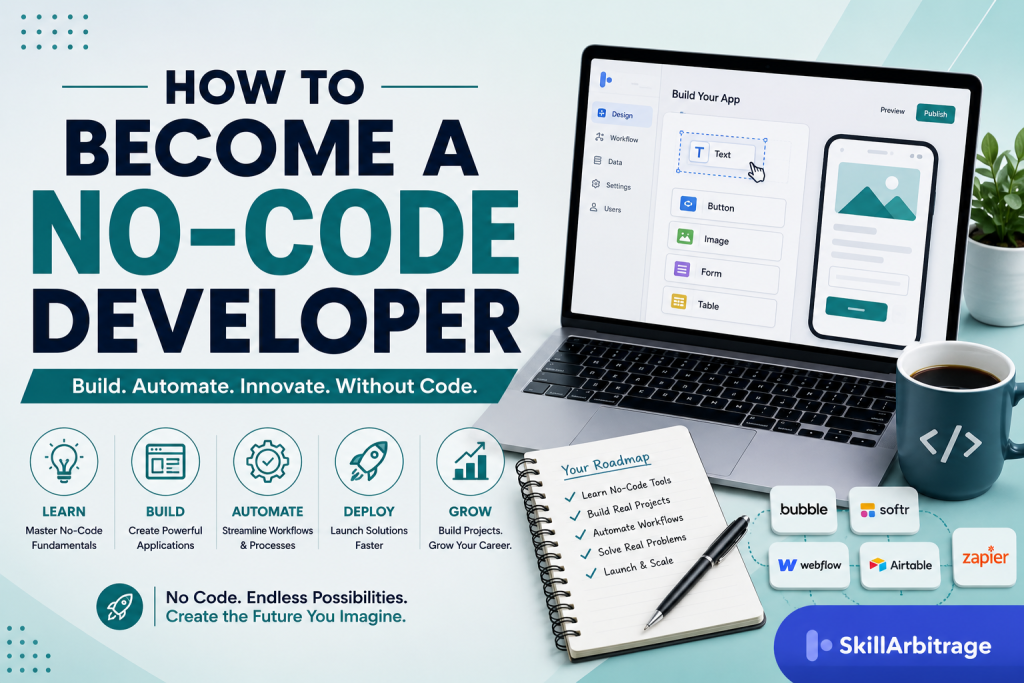

A no-code developer builds working software on visual platforms instead of writing it by hand, and you become one by choosing a single build platform, pairing it with a single automation platform, and shipping three real projects for people who are not you. The path is shorter than a computer science degree and longer than a weekend course: three to six months of consistent building is what it usually takes to reach paid quality on one platform. What gets you hired isn’t the number of tools on your profile. It’s a data model that holds up under real records, permissions that don’t leak, automations that fail loudly instead of silently, and a portfolio that reports numbers rather than screenshots.
This article sets out how to choose your stack, what to build, and how the first paid work as a no-code developer actually arrives.
Two things shifted in your favour recently. Gartner forecast that by 2026, developers outside formal IT departments would account for at least 80 percent of the user base for low-code development tools, up from 60 percent in 2021. That’s your buyer: an operations lead, a founder, a marketing head with a budget and no engineers.
The second shift is AI, and it cuts both ways. It has made the first draft of an app nearly free, which scares people off this career, and it has made the person who can wire AI into a business process more valuable than ever. Keep that tension in mind as you read, because it decides what you learn and in what order.
One request before you go further. Have a platform open in another tab and build the examples as they come up, because reading about a data model and building one are different activities, and only one of them gets paid.
Choose your no-code developer stack
Your no-code developer stack is three choices, not thirty: one build platform, one automation platform, and one place your data lives. Pick them by what you intend to sell, then stop shopping. The single most common way to waste six months in this field is tool tourism, which looks like productivity (a Webflow tutorial on Monday, a Bubble tutorial on Wednesday, a FlutterFlow demo on Saturday) and produces nothing anyone will pay for.
So how do you choose? Think of it this way: start from the buyer, not the tool. There are four lanes, and each one has a different buyer, a different budget, and a different failure mode.
The first lane is marketing sites and landing pages, and Webflow owns it. Your buyers are agencies, startups and marketing teams who want a site their content people can update without filing a ticket. They pay for speed of build, a content structure that holds up as the site grows, clean page structure for search, and interactions that look expensive. Fair warning: this lane is crowded at the bottom and thin at the top, so the money is in complex content architecture and migrations, not in five-page brochure sites.
The second lane is web apps with logins, payments and dashboards, and that’s Bubble. Buyers are founders and small teams building a product, plus established businesses replacing a spreadsheet that has outgrown itself. Bottom line: it’s the most technical of the four lanes and the best paid, because you’re designing a database, a permission system and a payment flow, and every one of those has a way to go badly wrong in production.
Third: internal tools and client portals. The pattern here is a data layer plus a front end, most often Airtable holding the records with Softr or Glide putting a usable interface on top. Buyers are operations teams drowning in spreadsheets, and the work is unglamorous, repeatable and steady (frankly the most underrated entry point for anyone coming from a business background rather than a design one).
Fourth is mobile, where FlutterFlow leads because it produces real Flutter apps and lets you export the code, which matters when a client’s investor asks who owns the build. It’s the smallest lane by volume and it carries app store review, device testing and release management on top of the build itself. In practice, though, start here only if you already know why you want to.
Now the layer that sits across all four, and the one beginners skip: automation. Zapier is the widest and the simplest, with the largest app catalogue and a free plan capped at 100 tasks a month at the time of writing (check Zapier’s pricing page, it moves). Make gives you a visual scenario canvas with routers, iterators and error handlers, and a free tier of 1,000 operations a month, which is why most people doing serious client automation end up there. And n8n is the one you learn when clients want the workflow self-hosted on their own server, or when the job involves chaining AI models rather than just moving records between apps (technically optional when you start, practically essential once the briefs get bigger).
Here’s the part that decides whether you get paid: the database discipline underneath all of it. A no-code developer who can’t model data builds apps that work in the demo and collapse in month two. Learn what a one-to-many relationship is, why you store a customer once and link to them rather than retyping their name into every row, and why a status field beats three separate yes or no checkboxes. And that skill transfers across every platform in this article, which is why a Bubble developer can pick up Airtable in a fortnight.
The fastest way to sort your own lane is one scoping question, and you can use it on yourself now and on clients later. Ask: who logs in, what do they see that nobody else sees, and what happens when they do the wrong thing? If nobody logs in, you’re in Webflow. If two kinds of people log in and see different things, you’re in Bubble or a portal build. If the answer involves an approval, an escalation or a notification, half the project is automation and you should price it that way.
What does an actual automation build look like, so you know what you’re learning towards? Here’s what that actually looks like: a working Make scenario for a small firm’s intake reads like this in the editor: Webhook receives the form submission, Airtable “Search records” checks whether the email already exists, a Router splits into new client and existing client, the new branch runs OpenAI “Create a completion” to draft a summary of the enquiry, Gmail “Send an email” delivers it to the owner, and Airtable “Update a record” writes the summary and a timestamp back to the row. Six modules. That’s a real deliverable, and once you can build it cleanly you can build most intake, onboarding and reporting workflows a small business will ever ask for.
The data layer gets its own worked example, because formula work is where people freeze. An overdue-invoice flag in Airtable is one field: IF({Invoice date} = BLANK(), “Not sent”, IF(DATETIME_DIFF(TODAY(), {Invoice date}, ‘days’) > 30, “Overdue”, “Current”)). Three states, no manual updating, and now a view can filter to overdue rows and an automation can chase them. Small, but it’s the exact shape of the work.

Let’s be honest about AI, because you need a position on it rather than anxiety. Tools like Lovable, Bolt and Replit’s agent will take a prompt and hand you a running app with a real codebase behind it, which is genuinely faster than building the same prototype by hand in Bubble. What they hand back is code, though, and a client who can’t read code can’t maintain it. That’s the distinction that keeps this career alive: visual platforms give the buyer something they can be handed, and AI builders give you a first draft.
The practical reality is that you should use both. Prompt an AI builder to explore a layout in twenty minutes, then rebuild the version that survives on the platform the client will actually own.
When you do prompt, be specific about the data before the design, like this: Build a client portal with three tables, Clients, Projects and Invoices. A Client has many Projects and a Project has many Invoices. Client users see only their own rows, while admin users see everything and can change invoice status. Show me the data schema before you generate any screens. But vague prompts produce pretty screens sitting on a data model you’ll have to throw away.
The market has already priced this in. Upwork’s In-Demand Skills 2026 report, published in February 2026, found that skills tied to applying AI inside existing work grew 109 percent year on year, with AI integration up 178 percent and AI chatbot development up 71 percent. So what does this mean for you? Read it as a job description rather than a headline: businesses want someone to connect an AI model to the systems they already run, which is a no-code automation job wearing a newer name.
And if you want to sharpen the prompting half of that skill, the walkthrough on prompt engineering without code covers the discipline in a business setting.
The short answer on cost: money isn’t your constraint here. Webflow’s Starter site plan is free and its Basic plan runs 15 dollars a month billed annually, Bubble’s free plan lets you build but not publish to a custom domain with Starter at 29 dollars a month, Airtable’s free plan holds 1,000 records per base, and both Zapier and Make have free tiers. Verify each on the vendor’s own page (Webflow, Bubble, Airtable, Make) because all four have repriced in the last two years. Budget roughly 30 to 60 dollars a month once you’re building for real, and treat the first client invoice as the thing that pays for it.
Pick your lane today. If you genuinely can’t choose, take the internal-tools lane, because it has the lowest design bar, the shortest path to a real user, and the widest overlap with whatever business knowledge you already carry. And if you’re starting from a standing start with no marketable skill at all, the sequencing advice in getting into international remote work without a high-demand skill applies here almost word for word.
Prompt-to-app builders produce a working first draft in minutes, then hand back code a non-technical client cannot maintain. Use them to explore, rebuild on the platform the client will own, and sell the part they cannot prompt: data modelling, permissions, integrations and maintenance.

Build three projects that prove you can ship
Build three projects, each a different shape, each with a real user who can complain. Three is the number because one is luck, two is a pattern nobody trusts yet, and three lets a buyer see that you handle range. This is where most beginners go wrong: six months of tutorials with nothing live, and then they quit convinced the field doesn’t work.
Project one is a public build with an outside stakeholder who is allowed to say no. A site for a local business, a community organisation or a friend’s practice will do, as long as somebody other than you signs off on it. Here’s the thing: the stakeholder is the point. And you’re learning something specific from them, which is how to take vague feedback (“it feels cluttered”), turn it into a change, and ship again without resentment.
Project two is an internal tool with a data model and roles. Two kinds of user, different permissions, at least four linked tables. A tuition centre’s attendance and fees tracker, a small agency’s project pipeline, a clinic’s appointment board: the domain doesn’t matter, the shape does. This is where most portfolios go wrong, and it’s the project that teaches you what happens when two people with different rights use the same records.
Project three is an automation that runs while you sleep. Not a demo you trigger by hand, but something on a schedule or a webhook, touching at least three systems. The catch? It has to keep working when something upstream breaks, which means a failure path you designed on purpose.
What separates a hobby build from a paid one? Four things, and none of them show up in a screenshot.
The first is the data model, which you should now be able to sketch before you open the builder. The second is permissions, and this is where most self-taught builders go wrong, with a genuine security hole: a Bubble app where the page hides a field but the underlying privacy rule still lets an API call return it is not secure, it’s decorated. Think of it this way: the page hides a field, but only the privacy rule protects it. Set the rules on the data type, then test them by logging in as the wrong user and trying to see the wrong record.
Third is failure handling, and it’s the marker that tells a client you’ve done this before. In practice, though, every automation you build should answer only three questions: what happens when the third-party app is down, who finds out, and does the record get processed twice when it retries. In Make that’s a concrete design, not a philosophy: the HTTP module gets an error handler with a Break directive so the bundle retries three times at fifteen-minute intervals, and if it still fails, a Resume directive writes the payload to an Errors table in Airtable and posts one Slack message to the ops channel. Build that once and you’ll build it into everything afterwards.
Fourth is handover, and the real question is whether the client can operate the thing without you. A build they can’t operate is a build they’ll replace. Write a one-page note naming the platform, the login owner, the monthly cost, the three things they can safely change themselves, and the one thing they must never touch.
Something like this: You own the Airtable base and the Make account, both under your workspace email. Monthly cost is 10.59 dollars for Make and nothing for Airtable at current volume. You can add rows, edit views and change the email copy in the Templates table. Do not rename or delete fields in the Clients table, because six automations map to those field names by ID. That paragraph has ended more support calls than any amount of goodwill.
Worth flagging one cost trap before you build anything real on Bubble. Bubble meters usage in workload units, and a search that loads every record on page load, or a repeating group that queries inside a loop, will burn a monthly allowance in days. Constrain your searches at the source, paginate long lists, and check the workload logs after every significant change. Clients forgive bugs, but they don’t forgive a bill that triples in month two.
Where do the briefs come from when you have no clients? Start inside whatever you already know, because domain knowledge you already hold beats platform skill: anyone can learn Bubble, and almost nobody understands your old industry’s edge cases. If you’ve worked in accounting, build the thing your old team did in a spreadsheet at month end.
If you’ve done admin or virtual assistant work, the highest-value automations in that world are already documented in the rundown of high-income virtual assistant skills, and each one is a portfolio project you could start this month.
Then there’s the write-up, which carries more weight than the build. Nobody clicks through a live app carefully, and screenshots prove nothing. A case study does, and it needs four elements: the problem in the client’s words, what you built, the numbers, and the stack.
Written out, it reads like this: A three-person recruitment firm was tracking candidates across two spreadsheets and a WhatsApp group, and losing roughly one candidate a week to double-contact. I built an Airtable base with four linked tables and a Softr portal with separate recruiter and client logins, plus a Make scenario that pulls new applications from the careers form and alerts the owning recruiter in Slack within a minute. Double-contacts went to zero in the first month and the weekly status call dropped from 40 minutes to 10. Airtable, Softr, Make, four weeks, one revision round.
Notice what that does. It names a cost the business was carrying, a change with numbers on it, and a build time. And it never once says the word “passionate”.
Record a three-minute walkthrough for each project too, because a buyer who watches you narrate your own build trusts you faster than one who reads about it. Open it the way you’d open a client call, not a YouTube video: This is the recruiter view. There are four tables behind it, and the permission rule that matters is on the Candidates table, so a client login can only ever see candidates attached to their own roles. Here’s what happens when the form gets a duplicate email.
Show the failure path on purpose. Almost nobody does, and it’s the fastest credibility you’ll ever buy for three minutes of effort.
Bottom line: give yourself twelve to sixteen weeks for all three, working evenings. That’s the honest range, and it assumes you finish things.
Get hired as a no-code developer
Getting hired as a no-code developer runs on three assets in this order: three finished builds, one platform credential, and a proposal that prices an outcome instead of your hours. The order matters. A certification with no builds behind it reads as coursework, while three builds with no certification still get work. Frankly, this gets overlooked by everyone selling you a course.
Take the credentials one lane at a time.
Bubble runs an official developer certification, and the details are specific enough to plan around: 90 questions, an 80 percent pass mark, a three and a half hour limit, and 49 dollars covering two attempts within three months. Since April 2025 the certificate is valid for two years rather than one. It’s aimed at experienced builders rather than beginners, and it tests security, APIs and performance alongside the interface. So sit it after your second serious app, not before.
Webflow works differently, through a partner programme rather than a single exam. You start at the Foundations tier, and to reach Certified Partner you need an active Freelancer or Agency Workspace plan, a pass in the pre-qualification assessment, at least three new client sites built in Webflow as a Foundations member, and a portfolio submitted for review. The portfolio is graded against a published rubric covering Webflow experience, design quality, layout and structure, site optimisation and accessibility. But read the rubric before you build the three sites, not after, because it tells you exactly what the reviewer is looking for.
On the automation side, Zapier runs a Solution Partner programme with a certification pathway and directory placement for consultants and agencies. What most people miss is that all three of these directories are lead sources rather than trophies. A listing in a platform’s partner directory puts you in front of buyers who have already decided on the platform and are only choosing a builder, which is the warmest lead this industry produces.
Where else does the work come from? Four channels, and they suit different temperaments. Freelance marketplaces are the fastest to start and the most price-competitive, while platform partner directories are slower and better paid.
A smarter strategy early on is subcontracting to an established agency, which gets you real briefs without any selling, at roughly 50 to 70 percent of the end rate. And the quietest channel is your own network: the business you already worked for, the one your cousin runs, the practice down the road that still runs on paper.
Rates vary enough by market that any single number would mislead you, so work with the shape instead of the figure. Junior builders on marketplaces start low and stay low if they compete on price (and this is the part most roadmaps skip). Mid-level builders who can show a data model and a security story move into a different bracket entirely. And the practical reality is that expert rates here attach to specialisation rather than seniority, which means the person who builds only recruitment portals, or only e-commerce operations automations, out-earns the generalist with the same number of years.
Here’s the pricing rule that changes your income faster than any rate increase: quote a build fee plus a monthly retainer, always. The build is one payment and it ends. But the retainer is the business. A client running a Make scenario that touches their revenue will pay a monthly figure for monitoring, error fixes and small changes, and ten of those retainers is a stable income before you take a single new build.
Then there’s the proposal itself, which is where good builders lose to worse ones. Open with the client’s problem in the client’s own words, not with your background.
Compare two openers. The first: I am a certified no-code developer with 2 years of experience in Bubble, Airtable and Make, and I am confident I can deliver your project. The second: You’re re-keying every enquiry from your website form into your CRM by hand, and you mentioned two got missed last month. I’ll connect the form to your CRM so nothing is typed twice, and flag duplicates before they reach your team. Same skills, same person, and only one of them sounds like they listened.
And scope in writing, with a revision count, or you’ll build the same screen four times: Included: four Airtable tables, one Softr portal with two user roles, three Make scenarios, one round of revisions after handover. Not included: content writing, logo design, migration of records older than January 2025, or changes to the CRM you already run. The out-list protects you more than the in-list does, and clients respect it more than you’d expect it to. The full anatomy, section by section, sits in the walkthrough on writing a client proposal for US buyers.
Price the maintenance in the same document, because raising it later feels like a bill and including it now feels like a plan: Build: 1,800 dollars, invoiced 50 percent on start and 50 percent on handover. Ongoing: 250 dollars a month for monitoring, error handling and up to two hours of changes, cancellable with 30 days’ notice. And when the discount question arrives, and it will, answer with scope rather than price: I can bring it to 1,400 by dropping the client portal from this phase and shipping the base and the automations first. The rate stays the same.
The mistake we see most often at this stage is treating the first six months as a job search when it’s a business build. The people who get stuck send more applications. The people who get through publish a case study, list on one directory, message ten businesses whose broken process they can name specifically, and repeat that for eight weeks. If you want a model of what that discipline looks like in a neighbouring field, the account of becoming an SEO freelancer in India follows almost the same arc from first build to first retainer.
Frequently asked questions
Do you need to know how to code to become a no-code developer?
No, and a full career is possible without writing a line. You’ll absorb the concepts anyway: data relationships, conditional logic, APIs, webhooks. Most no-code developers do pick up enough JavaScript or CSS for the last 5 percent of a build, and that lifts rates faster than a second platform.
How long does it take to become a no-code developer?
Three to six months of consistent evening work to reach paid quality on one platform, with twelve to sixteen weeks of that spent on the three portfolio projects. People who spread across four platforms take twice as long and finish nothing. The variable is whether you ship before the next tutorial.
Is no-code finished now that AI can write the code?
No, but the job moved. AI builders produce a working prototype from a prompt, which collapsed the value of simple builds and raised the value of what a client cannot prompt through: data modelling, permissions, integrations and maintenance. Upwork’s 2026 data puts AI integration up 178 percent.
Can you get a full-time no-code developer job, or is it freelance only?
Both exist, though freelance and contract work is the larger market. In-house roles sit in operations or a founder’s early team rather than engineering, advertised as automation specialist, business systems analyst or operations engineer. Search those titles, or you miss most salaried jobs.
This article is for informational and educational purposes only and does not constitute professional, financial, legal, or career advice. Platform pricing, certification requirements and programme terms change without notice: verify current details on the vendor’s own site before making a decision. Consult a qualified professional before acting on tax, compliance, or career matters.





 Allow notifications