
Last verified: 2026-08-05
It’s the third business day of the month. Forty transactions in the bank feed are still unmatched, two vendor bills arrived after you thought the books were done, and the client wants last month’s profit by Friday. This is the moment the month-end close exists for.
The month-end close process is the fixed sequence a bookkeeper runs after each month to turn raw daily entries into finished, reliable financial statements. It moves through cutoff, bank and account reconciliations, adjusting journal entries, a review of the numbers, and a final lock of the period. Run in order, it catches errors before the client sees them and produces a profit-and-loss statement, balance sheet and cash-flow statement that actually tie out. Skip a step and those errors surface later, usually at tax time.
What follows is each step of the close in the order a bookkeeper actually runs it, with the reconciliations and journal entries that cannot be skipped.
A close is not the same as day-to-day bookkeeping. Recording transactions happens all month. The close is the point where you stop, confirm everything is complete and correct, and sign off on a period you will not reopen.
Most of it is verification, not data entry. You’re checking that each balance on the books matches an outside record: the bank, the card statement, the loan schedule, the payroll report. When they agree, the month is done. When they don’t, you’ve caught something before it turned into a problem. It’s the same plain, careful bookkeeping covered in this iPleaders guide to manual bookkeeping for small businesses, just run to a monthly rhythm.
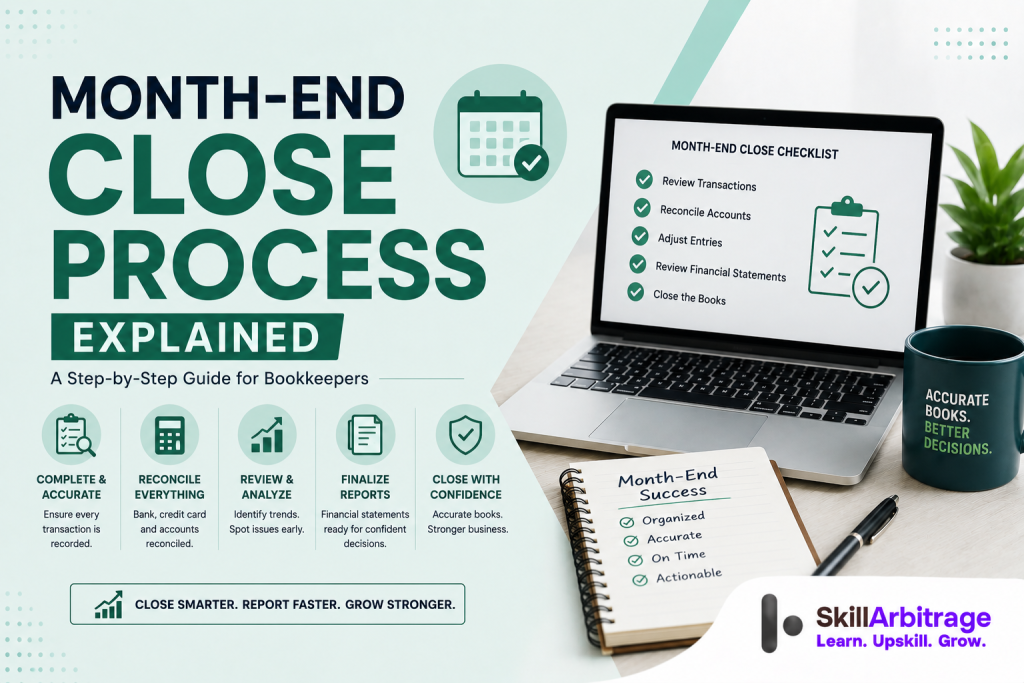
Run in this order: (1) set the cutoff and record every transaction for the month, (2) reconcile the bank and credit card accounts, (3) reconcile the balance-sheet accounts, (4) post adjusting entries for accruals, deferrals and depreciation, (5) tie out the subledgers for inventory, fixed assets and payroll, (6) review the statements against last month and the budget, (7) get sign-off and lock the period, (8) send the client a short reporting pack. The order matters, because each step depends on the one before it.
Why does the month-end close process matter?
The month-end close process matters because it’s the only point where someone confirms the books are complete and correct before anyone relies on them. Between closes, the books are a running draft. The close is what turns that draft into a record.
Most US businesses that carry inventory or bill clients over time report on the accrual basis. Under the accrual method, income is recorded when it’s earned and expenses when they’re incurred, not when cash moves (IRS Publication 538, Internal Revenue Service). Revenue from a service or contract is recognised when the work is delivered, following the five-step model in FASB ASC 606. The close is where you make the books obey those rules. You add the revenue earned but not yet billed, and the expenses incurred but not yet paid.
The choice of method changes what the close has to do. A cash-basis file needs fewer adjusting entries; an accrual file needs several every month. When a client must use accrual, and how the two methods differ, is covered in our guide to accrual vs cash-basis accounting.
Speed is a fair measure of a close. APQC’s benchmarking of thousands of finance teams puts the median monthly close at about 6.4 calendar days, from trial balance to finished statements. The fastest quarter finish in 4.8 days or fewer. The slowest take 10 days or more (APQC). A small-business file should beat all of those: one to three days is realistic once your process is set.
And a close that keeps slipping is almost never just a busy month. It’s a process problem. Unreconciled accounts, missing documents, entries left for the last day: they all push the date out.
The work itself is changing shape. The US Bureau of Labor Statistics projects a 6% decline in bookkeeping, accounting and auditing clerk roles from 2024 to 2034 as routine data entry gets automated, with the surviving work moving toward review and advisory tasks (U.S. Bureau of Labor Statistics, May 2024). The median wage was 49,210 dollars in May 2024. The close is exactly the review work automation does not replace, and it’s a skill US firms hire for. LawSikho’s executive certificate course in US accounting and bookkeeping treats the close and its reconciliations as a core part of the curriculum.
What steps make up the month-end close process?
The month-end close process is made up of eight steps, run in a fixed order. Each one closes off a part of the books so the next step can trust it.
1. Set the cutoff and record everything. Enter every bill, invoice, expense and payroll run dated in the month. Anything dated after the last day belongs to next month, even if you’re posting it today. A clean cutoff is what stops income and costs leaking between periods.
2. Reconcile cash. Match every bank and credit card account to its statement. Cash comes first because almost every other account depends on it being right.

3. Reconcile the balance-sheet accounts. Give every asset and liability account a supporting figure: an aging report, a schedule, a statement. A well-built chart of accounts makes this faster, because each balance already has a clear home.
4. Post adjusting entries. Add accruals, deferrals, depreciation and prepaid amortisation so income and expenses land in the right month.
5. Tie out the subledgers. Confirm inventory, fixed assets and payroll agree between their detail reports and the general ledger.
6. Review the statements. Read the profit-and-loss and balance sheet against the prior month and the budget, and chase anything that looks off.
7. Sign off and lock. Once the numbers hold, set a closing date so the period can’t be changed by accident.
8. Report. Send the client a short pack: the statements plus two or three lines on what the numbers say.
Write these down once as a checklist and reuse them every month. It sounds almost too simple, but a reusable checklist is the single change that turns a two-week close into a two-day one. Nothing gets forgotten, and nothing gets done twice.
How do you reconcile accounts during the month-end close?
You reconcile an account by proving its book balance matches an independent source, then explaining any difference. Every reconciliation in the close has the same three parts: the book balance, the outside balance, and the reconciling items between them. When the reconciling items are all identified, the account is done.
3.1 Bank and credit card reconciliation
Start with cash. The bank statement is your outside source, and the book balance rarely matches it on the last day of the month. The gap is made of timing items: checks you’ve written that haven’t cleared, deposits in transit, and bank fees or interest you haven’t recorded yet.
Work through each one. Tick off every transaction that appears on both sides. Record any fee or charge the bank added that isn’t yet on the books. What’s left unmatched should be only genuine timing differences, and each should clear the following month. The full method is in our guide to bank reconciliation step by step. Do the same for every credit card account.
3.2 Balance-sheet account reconciliation
Every balance-sheet account needs a supporting figure, not just a number in the ledger. Receivables tie to the AR aging report. Payables tie to the AP aging. Prepaids tie to a schedule. Loans tie to the lender’s amortisation statement. Clearing and suspense accounts should clear to zero, or you carry a balance you can explain.
The point is coverage. By the end, nothing on the balance sheet is left unexplained. That’s the part new bookkeepers tend to rush, and it’s exactly where the small errors hide, a stale prepaid, a loan balance that drifted, a clearing account nobody emptied.
3.3 Subledger tie-outs
Some accounts are driven by a subledger that has to agree with the general ledger. Inventory on hand should match the inventory system. The fixed-asset register should match the asset accounts and drive the depreciation entry. Payroll liabilities should match the last payroll report. When a subledger and the ledger disagree, the ledger is usually the one that’s wrong.
Here’s a short reconciliation. A client paid 12,000 dollars on 1 January for twelve months of insurance cover, booked as a prepaid asset.
| Prepaid insurance reconciliation | Amount |
|---|---|
| Book balance, start of month | 11,000 dollars |
| Less: one month amortised to expense | (1,000 dollars) |
| Expected book balance, end of month | 10,000 dollars |
| General ledger balance | 10,000 dollars |
| Difference | 0 |
The account reconciles: the schedule expects 10,000 dollars and the ledger shows 10,000 dollars. If the ledger still read 11,000 dollars, you’d know the monthly amortisation entry hadn’t been posted yet, and step 4 would catch it.
Which adjusting entries do bookkeepers post at month-end?
Bookkeepers post adjusting entries at month-end to move income and expenses into the period they belong to. On an accrual file there are four common types: accruals, deferrals, depreciation and prepaid amortisation.
An accrued revenue entry records work done but not yet billed. An accrued expense entry records a cost incurred but not yet paid, such as wages earned in the last week of the month. Deferred revenue works the other way: money billed in advance sits as a liability until the work is delivered. Depreciation spreads the cost of an asset across its life, and prepaid amortisation moves one month of a prepaid cost, like the insurance above, into expense.
Say the client delivered 2,400 dollars of consulting in the last week of the month but won’t invoice until the first week of the next. Under the accrual method the revenue belongs to this month. The adjusting entry is:
| Account | Debit | Credit |
|---|---|---|
| Accrued revenue (asset) | 2,400 dollars | |
| Consulting revenue | 2,400 dollars |
That pulls the 2,400 dollars into the month the work was actually done, so the profit-and-loss shows what the business earned, not just what it happened to invoice.
One habit here saves a lot of cleanup. Post accruals as reversing entries, so they flip automatically on the first of next month. When the real invoice finally goes out, it lands like any other invoice and the accrual has already backed itself out. Skip the reversal and you’ll count the same 2,400 dollars twice: once as the accrual, again as the invoice. (It’s one of the most common ways a month quietly overstates revenue.)
| Account | Debit | Credit |
|---|---|---|
| Accrued revenue (asset) | 2,400 | |
| Consulting revenue | 2,400 |
Reviewing and finalizing the financial statements
Reviewing the financial statements is the step where you read the numbers you just closed and ask whether they make sense. Reconciliations prove the balances are right. The review proves they’re reasonable.
The tool for it is variance review, sometimes called a flux analysis. Put this month next to last month, and next to the budget if there is one. Then hunt for lines that moved more than they should. Did rent double? Payroll can’t drop 40% in a normal month. A revenue line that jumped might be a deferral you forgot to book.
Pick a threshold and stick to it, so the review is the same every month: chase any line that moves more than 10%, or more than a set dollar figure, whichever fits the client. Every odd swing gets an explanation before you sign off. Sometimes the swing is real and the business just had a big month. Sometimes it’s a miscoded entry, and you’ve caught it with a day to spare.
Once the statements hold up, lock the period. In QuickBooks Online you set a closing date and a closing-date password, so any change to a closed month needs a deliberate step and an admin’s password (QuickBooks Online). Locking is what makes the close final. It stops a stray transaction from quietly rewriting a month you’ve already reported.
Finish by sending the client a short reporting pack: the profit-and-loss, the balance sheet, the cash-flow statement, and two or three plain lines on what changed and why. That closing note is often what a client values most, because it turns a set of statements into something they can act on.
Common month-end close mistakes
Nearly every serious month-end close mistake comes from the same instinct: skipping a verification step to save an hour. It works, right up until it doesn’t. Each one below shows up later, and later is always harder to fix.
- Skipping the cutoff. Posting a late bill into the wrong month understates one period and overstates the next. Cutoff first, always.
- Forcing a reconciliation to balance. Plugging a difference to make an account tie hides the real error instead of fixing it. Find the item.
- Leaving a balance in a clearing account. Clearing and suspense accounts should clear to zero. A balance sitting there is money in transit that never landed.
- Missing accruals. Leave out the wages earned but unpaid, and the month looks more profitable than it was. The truth arrives with next month’s payroll.
- Not locking the period. An open month can change after you’ve reported it, and then your statements and the ledger disagree.
- No documentation trail. If you can’t show what supports a balance, you can’t defend it at tax time or when a client asks.
Some of these are exactly the errors automation now catches. AI-assisted tools flag unreconciled items and duplicate entries before you close, as covered in our guide to AI in US accounting. The judgement, though, still sits with the bookkeeper. A tool can tell you an account doesn’t tie. It can’t tell you which entry is wrong.
Frequently asked questions
What is the month-end close in bookkeeping? The month-end close is the process of finalising a company’s books for a month. The bookkeeper records all transactions, reconciles every account to an outside source, posts adjusting entries, reviews the financial statements, and then locks the period so it can’t be changed. The output is a complete profit-and-loss statement, balance sheet and cash-flow statement for the month.
How long should a month-end close take? APQC benchmarks put the median close at about 6.4 calendar days, with top performers finishing in 4.8 days or fewer. For a small-business file with a set process, one to three days is realistic. A close that regularly runs past a week usually points to unreconciled accounts or a missing checklist.
What is the difference between a soft close and a hard close? A soft close skips some detailed steps to produce quick, roughly-right numbers, often for internal management use mid-quarter. A hard close completes every reconciliation and adjusting entry and locks the period. Month-end for external reporting or tax should be a hard close.
Which reconciliations are mandatory every month? At a minimum: every bank account, every credit card, accounts receivable, accounts payable, and any loan. Prepaids, payroll liabilities, inventory and clearing accounts should also be reconciled whenever the client has them.
Can the month-end close be automated? Parts of it can. Bank feeds, transaction matching and recurring journal entries automate well, and AI tools now flag anomalies before you close. The judgement steps, deciding whether a variance is real and signing off on the numbers, stay with the bookkeeper.
What is a month-end close checklist? It’s a written, repeatable list of every close step in order, with an owner and a due date for each. It’s the simplest tool for closing faster, because it stops steps being missed and makes the close the same every month.
References
- IRS Publication 538, Accounting Periods and Methods, Internal Revenue Service
- FASB Accounting Standards Update 2014-09, Revenue from Contracts with Customers (Topic 606), Financial Accounting Standards Board
- Cycle Time to Perform the Monthly Close, APQC Open Standards Benchmarking
- Bookkeeping, Accounting, and Auditing Clerks, Occupational Outlook Handbook, U.S. Bureau of Labor Statistics, May 2024
- Close the books in QuickBooks Online, Intuit QuickBooks
This article is general information for bookkeepers, not accounting or tax advice. Rules and thresholds change; confirm treatment for a specific client with a qualified US accountant or the primary source.





 Allow notifications