
Last verified: July 2026
There’s a moment a lot of professionals in India have quietly had this year. You’re in a review meeting, and a colleague half your age presents a competitor analysis, a first-draft campaign brief, and three subject-line options. Work that would’ve taken you two days. She did it before lunch. Nobody in the room asks how. Everyone just nods.
Here’s the thing: she isn’t smarter than you, and she probably doesn’t know your industry as well. She’s fluent in one thing you haven’t picked up yet. She knows how to hand the boring 70% of a task to ChatGPT and spend her energy on the 30% that needs judgement. That’s it. That’s the whole trick.
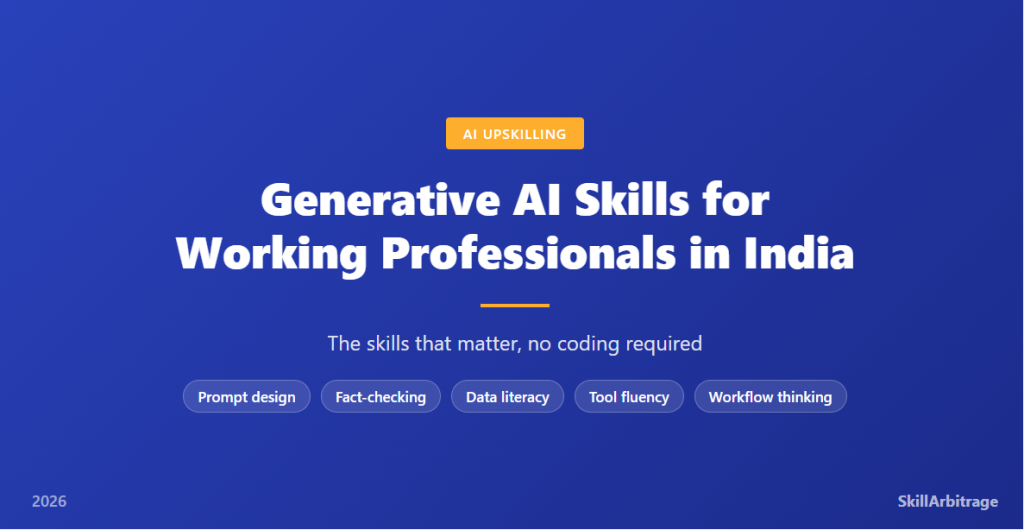
The generative AI skills for working professionals aren’t about coding, machine learning, or building models. They’re about using tools that already sit in your browser to do your existing job faster and better. And the gap between people who can do this and people who can’t is widening fast. The World Economic Forum’s Future of Jobs Report 2025 ranks AI and big data as the single fastest-growing skill category through 2030, ahead of networks, cybersecurity, and creativity.
So what does that mean for a marketing manager in Pune, an HR lead in Gurugram, or a finance analyst in Chennai? It means the old worry has the wrong shape. The fear was always “AI will take my job.” The real dynamic, as the industry saying goes, is blunter: AI won’t replace you. A person who uses AI will.
That’s not a threat. It’s an invitation, and honestly a cheap one. You don’t need a degree, a bootcamp, or a new laptop. You need maybe a month of deliberate practice and a clear map of which skills matter. Because not all of them do. Half the “AI skills” content online is either fear-bait or people selling you prompt packs you’ll never open.
This guide is the map. It covers the five skills that genuinely move the needle for a working professional, what each one looks like in your actual job, a breakdown by role (marketing, HR, finance, ops, support), and a 30-day plan to get fluent without writing a single line of code. Let’s get into what actually matters.
The 7 GenAI skills that matter, and the 3 that don’t
Worth your time: (1) prompt design, (2) fact-checking AI output, (3) basic data literacy, (4) tool fluency across ChatGPT, Claude, Gemini and Copilot, (5) workflow thinking, (6) protecting confidential data, (7) knowing when NOT to use AI.
Skip the hype: (1) learning to code models, (2) memorising 500 “magic prompts,” (3) chasing every new tool that launches on a Tuesday.
Why prompting is now a baseline skill, not a niche job
Remember when “knowing Excel” moved from a resume bragging point to something nobody bothers mentioning because it’s assumed? Prompting is doing the same thing, only faster. Two years ago, “prompt engineer” was a job title with a rumoured salary attached. Today it’s closer to a literacy: a thing every knowledge worker is quietly expected to have, whether or not it’s in the job description.
The shift is worth understanding, because it changes what you should learn. A niche job rewards deep, specialised, sometimes fragile knowledge. A baseline skill rewards broad, reliable competence you can apply anywhere. You don’t need to be the best prompter in your company. You need to be past the line where AI saves you time instead of wasting it.
And most professionals aren’t past that line yet. They type a lazy request, get a generic answer, mutter that “AI is overhyped,” and go back to doing it the slow way. The tool didn’t fail them. The input did. This is where most people go wrong, and it’s the cheapest gap in the market to close.
Why does this matter so much for Indian professionals specifically? Because a huge share of India’s white-collar work is delivery work for global clients and teams: marketing execution, financial operations, HR coordination, customer support, research. These are exactly the functions where generative AI compresses hours into minutes. The professional who uses AI well doesn’t just keep pace with a US or European counterpart. On turnaround time, they can quietly outrun them.
The practical reality is that these generative AI skills stack. Prompting makes you faster. Fact-checking makes you safe to trust. Tool fluency means you always reach for the right one. Put together, they turn AI from a party trick into a second pair of hands. That’s the shift. Now let’s build the skills one at a time.

Skill 1: Prompt design that gets usable output
Prompt design is the single highest-return skill on this list, and it’s the one people most underrate. The idea is simple: the quality of what you get out of an AI tool is set almost entirely by the quality of what you put in. Vague in, vague out. So what separates a prompt that wastes your afternoon from one that saves it?
Four things, and you can remember them as clarity, context, role, and examples. Clarity means saying exactly what you want, in what format, and how long. Context means giving the tool the background it can’t guess: your audience, your product, your constraint. Role means telling the model who to be (“act as a B2B SaaS copywriter reviewing this for a CFO audience”). Examples, sometimes called few-shot prompting, means showing one or two samples of the output you want so the model matches the pattern.
Here’s what that actually looks like. Watch the difference.
Weak prompt: “Write a LinkedIn post about our new product.”
Strong prompt: “Act as a B2B marketing writer. Write a LinkedIn post (max 120 words, no hashtags in the body) announcing our new invoicing tool for Indian freelancers. Audience: solo consultants who hate accounting. Tone: practical, slightly wry, no hype. Lead with a pain point, not the product. Here’s a past post that did well, match this voice: [paste post].”
The first gets you a bland, interchangeable paragraph you’ll rewrite anyway. The second gets you something 80% usable on the first try. Same tool. Same thirty seconds of typing, roughly. Wildly different output.
One habit worth building early: treat prompting as a conversation, not a vending machine. If the first answer misses, don’t start over. Tell the tool what was wrong (“too formal, and cut the second paragraph”) and let it revise. The best output usually arrives on the third exchange, not the first. That back-and-forth is the skill. And it’s the part most guides skip.
Skill 2: Fact-checking and spotting AI hallucinations
Can you trust what the AI tells you? Not blindly, and this is the skill that keeps you employed rather than embarrassed. Generative AI models produce fluent, confident text, and sometimes that text is simply wrong. The industry term is “hallucination”: the model invents a statistic, a citation, a case study, or a legal provision that sounds plausible and does not exist.
For a working professional, this is the difference between AI as an asset and AI as a liability. A hallucinated figure in an internal brainstorm is harmless. The same figure in a client deck, a compliance note, or a published article can cost you credibility you spent years building. Frankly, this gets overlooked, because the output reads so smoothly that people forget to check it.
The fix isn’t complicated, it’s just a discipline. Treat every AI-generated fact as a claim to verify, not a truth to trust. Any specific number, name, date, quote, or citation gets checked against a primary source before it leaves your hands. If the AI says “a 2024 NASSCOM report found X,” your job is to find that report and confirm X, or drop the claim. Never let a model be your only source for anything a reader could act on.
Three quick tells that something needs a second look: the fact is suspiciously specific (exact percentages with no source), the citation is to a document you can’t find, or the claim is exactly what you were hoping to hear. In our view, that last one is the most dangerous, because confirmation bias and a confident model are a bad combination. Verify anyway.
Skill 3: Data literacy without being a data scientist
Here’s a myth worth killing: that working with data in the AI era requires you to learn Python, statistics, and machine learning. It doesn’t. What you need is data literacy, which is a much smaller and much more useful thing. Can you ask a sharp question of a spreadsheet, and can you tell when the answer smells wrong?
Modern AI tools have quietly made this accessible to everyone. You can drop a messy sales sheet into ChatGPT or Claude, ask “which three regions grew fastest quarter over quarter, and which one is declining despite high spend,” and get a clear answer with the working shown. Microsoft Copilot does the same thing inside Excel, referencing your actual cells. No formulas memorised. No pivot-table wizardry required.
But (and this is the part that separates literacy from dependence) the tool can misread your data, especially if the columns are unlabelled or the format is inconsistent. So data literacy is really two skills bolted together: knowing what to ask, and knowing enough to sanity-check the answer. If the AI tells you revenue doubled and you know the business didn’t, you catch it. If you can’t catch it, you’re not using the tool, the tool is using you.
For most professionals, the goal isn’t to become an analyst. It’s to stop being blocked. The manager who used to wait three days for the data team to pull a report can now get a first-pass answer in ten minutes, then take a sharper, better-formed question to the analysts. That’s the win. Speed to insight, not a career change.
Skill 4: Tool fluency across ChatGPT, Claude, Gemini and Copilot
Should you pick one AI tool and go deep, or spread across several? For a working professional, the honest answer is: know the main four well enough to reach for the right one, then go deeper on whichever fits your daily work. Each has a personality and a home turf. Using Gemini for a task Copilot owns is like emailing a document you should’ve edited in the shared file.
The four you’ll actually encounter, and what each does best:
| Tool | Best at | Where it lives |
|---|---|---|
| ChatGPT (OpenAI) | General-purpose drafting, brainstorming, coding help, image generation. The versatile default. | Web, mobile app, and inside many other products via API. |
| Claude (Anthropic) | Long documents, careful reasoning, nuanced writing and editing, working with big context. | Web, mobile app, and desktop. |
| Gemini (Google) | Research with live web grounding, and tasks tied to Google Workspace (Docs, Sheets, Gmail). | Web, and built into Google Workspace. |
| Copilot (Microsoft) | Work inside Microsoft 365: Excel, Word, PowerPoint, Outlook, Teams, on your own files. | Embedded across Microsoft 365 apps. |
You don’t need paid subscriptions to all four to start. Pick the one closest to where you already work. If your company runs on Microsoft 365, Copilot fluency is worth more to you than anything else. If you live in Google Workspace, Gemini is the natural fit. For open-ended thinking and writing, most people keep ChatGPT or Claude open in a tab regardless.
Tool fluency isn’t about chasing the newest launch. A new model drops what feels like every Tuesday, and trying to keep up with all of them is a full-time job that pays nothing. Learn the four that matter, notice what each is good at, and let the rest go. The professionals who win aren’t the ones who tried every tool. They’re the ones who got genuinely good with two.
Skill 5: Workflow thinking: chaining AI into real tasks
Here’s where the real leverage lives, and where most people stop short. The beginner uses AI for single, one-off tasks: write this email, summarise this article. Useful, but small. The professional who gets a genuine edge thinks in workflows: chaining several AI steps into a complete task that used to eat half a day.
Think of it this way. Say you run monthly competitor monitoring. The single-task approach is to ask AI to summarise one competitor’s blog. The workflow approach is a chain: (1) feed the AI five competitor updates, (2) have it extract the strategic moves, (3) ask it to compare those against your own positioning, (4) draft a one-page brief for your head of marketing, (5) generate three talking points for the next team meeting. Same tool. One connected process instead of five disconnected asks.
What makes this a skill rather than just “using AI more”? It’s the ability to break a real job into stages an AI can handle, decide where a human check belongs, and keep the context flowing from step to step. You’re designing the process, not doing the typing. The mistake we see most often is people expecting one giant prompt to do the whole job. It won’t. Good workflows are built from small, verifiable steps.
The payoff compounds once you build a chain, because you can run it again next month in minutes. A finance professional builds a month-end commentary workflow once, and reuses it every close. An HR lead builds a job-description-to-shortlist chain once, and runs it for every open role. That’s the shift from doing tasks with AI to building small systems with it. And it’s the closest thing to a superpower on this list.
Generative AI skills by role
Do these skills look the same for everyone? The five core skills are universal, but where you point them depends entirely on your function. A marketer and a finance analyst need the same fluency, applied to completely different work. Here’s how the generative AI skills for working professionals map onto the five roles most common across India’s white-collar workforce.
| Role | Highest-value AI uses | Watch out for |
|---|---|---|
| Marketing | Campaign drafts, ad and email variants, SEO content outlines, competitor analysis, repurposing one asset into ten. | Generic, on-brand-in-name-only copy. Always edit for voice and verify any stat before publishing. |
| HR | Job descriptions, interview question sets, policy first-drafts, summarising employee-survey feedback, onboarding docs. | Bias in AI-screened shortlists, and confidential employee data. Keep personal data out of public tools. |
| Finance | Spreadsheet analysis, variance commentary, drafting reports, explaining data to non-finance colleagues, scenario summaries. | Hallucinated numbers. Every figure gets traced to the source workbook. Never trust an AI-stated total. |
| Operations | SOP drafting, process documentation, meeting-notes-to-action-items, vendor-comparison summaries, checklist generation. | Over-automating a process before it’s stable. Fix the process first, then document it with AI. |
| Customer support | Draft replies, knowledge-base articles, tone adjustment, summarising long tickets, turning FAQs into help content. | Sending AI replies unedited. The customer can tell. Use AI for the draft, keep a human on the send. |
Notice the pattern in that last column. Every role’s biggest risk is the same shape: trusting the output without a human check. That’s not a reason to avoid AI. It’s the reason fact-checking sits at number two on the skills list. Pick the row that’s yours, and start there. You’ll get more from mastering AI on the five tasks you do every week than from dabbling across fifty you don’t.
For a deeper look at which specific tools suit senior and specialist roles, our breakdown of the AI tools senior professionals in India are actually using pairs well with the skills here: this post teaches the skill, that one maps the toolkit.
A 30-day, no-coding learning path
Can you actually get fluent in a month? Yes, if you practise on real work instead of tutorials. The goal isn’t to “finish a course.” It’s to reach the point where reaching for AI is your default, not an afterthought. Here’s a four-week path that assumes zero technical background and maybe thirty minutes a day.
-
Week 1: Prompt fundamentals on live tasks. Pick one tool (whichever is closest to your daily work). Every day, take one real task you’d normally do manually and do it with AI instead, using the clarity-context-role-examples structure. Keep the prompts that worked in a simple notes file. That file becomes your personal playbook.
-
Week 2: Fact-checking and refinement. Keep using AI daily, but now add the discipline: verify every fact before you use the output, and practise the back-and-forth of refining a weak first answer into a strong third one. By the end of the week, catching a hallucination should feel automatic.
-
Week 3: Tool fluency and data. Try a second tool from the big four and notice where it beats your first. Drop a real spreadsheet into ChatGPT, Claude, or Copilot and ask three genuine questions about your own data. The aim is to feel the difference between the tools, not to master all of them.
-
Week 4: Build one workflow. Take a recurring task that eats real time (a weekly report, a content batch, a monthly analysis) and build a multi-step AI workflow for it. Document the steps so you can rerun it. Finish the month with one reusable system you’ll actually keep using.
The professionals who stall are the ones who treat this as study. The ones who get fluent treat it as substitution: for thirty days, whenever there’s a slow manual way and an AI way, they take the AI way and learn by doing. That’s the entire method. Practice on the job you already have.
If your specific challenge is producing content at volume without a bigger team, our piece on solving the content-creation bottleneck with AI goes deep on that one use case, where this pillar stays broad across every function.
Frequently asked questions
Do working professionals in India need coding skills to use generative AI? No. The generative AI skills that matter for working professionals are prompting, fact-checking, data literacy, tool fluency, and workflow thinking, none of which require coding. You use tools like ChatGPT, Claude, Gemini, and Copilot through plain English in a browser.
What is the most important generative AI skill to learn first? Prompt design. The quality of everything an AI tool gives you is set by the quality of your input. Learning to write clear prompts with context, a defined role, and examples delivers the fastest, biggest improvement in your results.
Which AI tool should a working professional start with? Start with the tool closest to where you already work. If your company runs Microsoft 365, learn Copilot. If you use Google Workspace, use Gemini. For general drafting and thinking, ChatGPT and Claude are both strong first picks.
Will generative AI replace my job? It’s more accurate to say a person using AI may outcompete a person who doesn’t. Generative AI automates parts of tasks, not whole roles, for most knowledge work. Building AI skills is the practical way to stay ahead of that shift rather than be caught by it.
How long does it take to become fluent in generative AI tools? Most professionals reach useful fluency in about 30 days of daily practice on real work tasks. You don’t need a long course. You need to substitute the AI way for the manual way on tasks you already do, and learn by doing.
What is an AI hallucination and why does it matter? A hallucination is when an AI tool produces confident, fluent text that is factually wrong, such as an invented statistic or citation. It matters because unchecked AI output in a client deliverable can damage your credibility. Verify every fact against a primary source.
Are generative AI skills useful for non-technical roles like HR and marketing? Very much so. Marketing, HR, finance, operations, and customer support are among the functions where generative AI saves the most time, through drafting, summarising, analysis, and documentation. The skills are non-technical and apply directly to these roles.
Do I need to pay for AI tools to learn these skills? No. Free tiers of ChatGPT, Claude, and Gemini are enough to build every core skill. Paid plans add speed and features, but you can become genuinely fluent before spending anything.
How is prompt engineering different from just using ChatGPT? Prompt engineering is the deliberate practice of structuring inputs to get reliable, high-quality output, using clarity, context, role, and examples. Casual use is typing a quick question; prompt design is a repeatable method that consistently produces usable results.
What is workflow thinking in generative AI? Workflow thinking means chaining several AI steps into one complete task instead of using AI for isolated one-off requests. You break a real job into stages, decide where a human check belongs, and build a reusable process you can run again later.
References
Data and research 1. The Future of Jobs Report 2025 — World Economic Forum, January 2025 (skills outlook: AI and big data ranked the fastest-growing skill category through 2030).
Tool and vendor references 1. ChatGPT — OpenAI (official product page). 2. Claude — Anthropic (official product page). 3. Gemini — Google (official product page). 4. Microsoft Copilot — Microsoft (official product page).
This article is for informational and educational purposes only and does not constitute professional, financial, legal, or career advice. Tools, features, and pricing referenced may change. Readers should evaluate AI tools against their own organisation’s data-security and compliance policies, and consult a qualified professional before acting on career or business decisions.


 Allow notifications