
Last verified: 2026-07-14
A division head bought licences for the whole team in January. Forty seats, a well-reviewed AI assistant, a launch email with three exclamation points. By June, the usage dashboard told an ugly story: eight people logged in regularly, most of them managers, and the frontline work looked exactly as it had the year before. The tools were there. The adoption wasn’t. And when finance asked what the forty seats had actually bought, there wasn’t a clean answer.
That gap, between buying AI and getting anything from it, is the problem most senior leaders are quietly sitting on right now. The licences were the easy part. Changing how a busy, skeptical team actually works is the hard part, and it doesn’t happen on its own. It happens because someone senior leads it, deliberately, as a change to manage rather than a tool to announce.
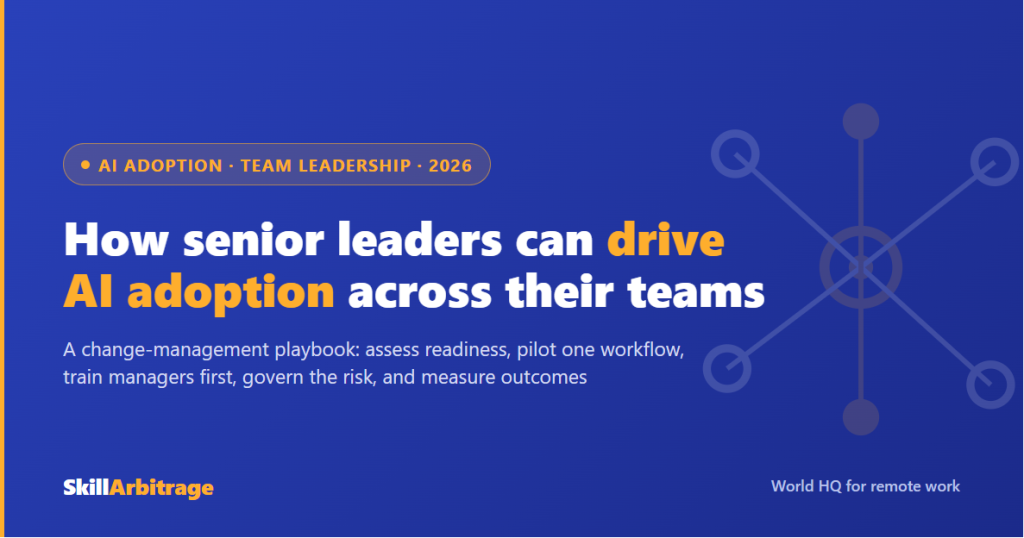
Senior leaders drive AI adoption across their teams by treating it as a change-management project, not a software purchase: assess readiness, pilot one high-friction workflow, sequence training so managers stay ahead of their teams, address the fear underneath resistance, govern the risks, and measure real outcomes instead of logins. Adoption is a leadership deliverable, and the results depend far more on how the rollout is led than on which tool gets bought.
This guide is the team-rollout companion to our piece on how senior professionals stay relevant and lead adoption, which covers the personal and career side of the shift. This one starts one step later: you’re not worried about your own relevance, you’ve been handed the job of getting an entire team to actually use AI. The sections below move in the order a real rollout does, from diagnosing why adoption stalls to a phased plan you can start on Monday.
Why AI adoption stalls across teams even when the tools are everywhere
AI adoption stalls across teams because the hard part was never the software, it was the behaviour change, and most rollouts spend all their effort on the first and none on the second. The tools arrive, a launch happens, and then daily habits quietly snap back to what they were. Understanding why that happens is the first move, because you can’t fix a problem you’ve misdiagnosed as a technology problem.
The numbers frame the trap precisely. According to McKinsey’s State of AI 2025 research, 88% of organizations now use AI regularly in at least one business function, yet only about 6% clear the bar for “AI high performers,” the ones actually capturing significant value. Read those two figures together and the picture is stark: almost everyone has the tools, almost no one has the results. The distance between the two is where your job lives.
The tools-to-value gap
The gap isn’t a tooling gap. The same models are available to the 6% who win and the 82% who don’t. What separates them is whether anyone turned “we have access” into “this changed how the work gets done.” That’s an organizational and behavioural distance, not a technical one, and it’s exactly the distance a senior leader is positioned to close.
Think of it this way. Buying AI licences is like buying a gym membership for the whole team. The membership doesn’t make anyone fitter. What you do after the purchase, the routine, the coaching, the showing up, is the entire game, and none of it is included in the price of the card.
The silicon ceiling
There’s a specific pattern to how adoption gets stuck. According to BCG’s AI at Work 2025 survey, more than three-quarters of leaders and managers use generative AI several times a week, but regular use among frontline employees has stalled at around 51%. BCG calls this a “silicon ceiling”: the tools reach the top of the organization fast and then get stuck before they reach the people doing the bulk of the actual work.
That ceiling is where value quietly dies. A tool that leadership loves and the frontline ignores produces exactly the no-impact outcome the McKinsey data describes. Breaking through it is the substance of driving adoption, and it starts with accepting that the people below you won’t cross that ceiling on enthusiasm alone.
Adoption is a behaviour-change problem
So what’s really being asked of you? Not to pick a better model. To move a group of busy, skeptical humans from “not my problem” to “this is how we work now.” That’s change management, a discipline with its own well-worn failure modes, and treating it as an IT rollout is the first and most common mistake.
The reframe matters because it changes what you spend your effort on. If adoption is a software problem, you buy more software. If it’s a behaviour problem, you invest in the things that actually shift behaviour: a visible reason to change, training that lands, safety to experiment, and proof that it works. The rest of this guide is built on that second assumption, because the data says the first one doesn’t pay.
Assess your team’s AI readiness before you roll anything out
Before you launch anything, you need an honest read on where your team actually stands. Most leaders skip this and go straight to a tool announcement, which is why so many rollouts land on unprepared ground. A short readiness assessment, done properly, saves months of stalled effort later.
Map current usage, shadow AI included
Start by finding out what’s already happening, including what’s happening off the books. A good share of teams already have “shadow AI,” people quietly using personal ChatGPT accounts for work tasks without telling anyone, usually because it helps and nobody gave them an approved alternative. That’s not a threat to stamp out. It’s a gift: it tells you exactly which tasks people already want AI for, and who your early adopters are.
Ask directly and without menace. Who’s already using something, for what, and how often? The answer maps your real starting line. A team with active shadow usage is further along than its official dashboard suggests, and the people doing it are your first pilot volunteers, not your first disciplinary cases.

Inventory the workflows worth targeting
Next, list the candidate workflows, then rank them by a simple test: high friction, low stakes, high frequency. High friction means the team genuinely dislikes the task. Low stakes means an error is cheap to catch and fix. High frequency means any improvement compounds. The sweet spot is a task that’s annoying, frequent, and forgiving.
Monthly reporting. First-draft email responses. Meeting summaries. Initial research passes. Formatting and cleanup work. These are the workflows where AI helps fast and a mistake costs little, which makes them ideal first targets. Our guide to workflow automation for professionals goes deeper on mapping a process before you touch it. Resist the temptation to start with the high-stakes, high-visibility work. That’s where a single confident error does real damage and sours the whole effort.
Read the resistance map
Finally, figure out where the friction sits before it surprises you. Resistance is rarely spread evenly. Industry surveys through 2025 repeatedly flagged experienced middle managers as a common point of friction in active AI programs, and the reason is more rational than it looks: they’re the ones expected to champion the tool inside real workflows, under real constraints, and often without enough time or support, which turns it into a personal exposure risk. We unpack that dynamic in depth in our piece on the middle-management trap.
Name the likely blockers now, while you can still plan around them. Where does the enthusiasm live, where does the fear live, and who has quiet influence over whether their peers try or refuse? A resistance map isn’t about labelling people as problems. It’s about knowing where to spend your attention when the rollout hits the inevitable friction.
Start with one high-friction workflow, not a platform rollout
The single most reliable way to drive AI adoption across teams is to go narrow first. Pick one workflow, prove it, then expand from the proof. The instinct to go wide, buy a big platform, announce it company-wide, run a splashy launch, is exactly what produces the forty-idle-seats outcome. A contained win beats a broad announcement every time.
Choosing the first workflow
Use the readiness inventory to pick one target, and be strict about the criteria. Here’s what a good first workflow looks like in practice: your team does it at least weekly, everyone finds it tedious, and getting it slightly wrong costs an hour to fix rather than a client. Monthly financial reporting is a classic fit. So is drafting first-pass responses to routine inquiries, or turning messy meeting notes into clean summaries.
Why so narrow? Because one workflow gives you a clean before-and-after, a small enough surface to see what actually breaks, and a concrete win you can point to. Proof travels through an organization faster than any mandate, and you can only generate proof if the scope is small enough to measure.
Set the baseline before you start
Here’s the step almost everyone skips, and it’s the one that makes or breaks the case later. Before you change anything, capture how the workflow performs today. How long does the monthly report take, end to end? How many drafts bounce back for rework? How many hours a week does the task consume across the team? Write the numbers down before AI touches the process.
Without a baseline, you’ll have a vibe instead of evidence. And a vibe can’t defend a rollout to a skeptical CFO, can’t justify expanding to the next workflow, and can’t tell you whether the change actually helped or just felt busy. The baseline is boring and it’s the most important twenty minutes of the whole project.
Run a contained pilot
Then run it small and real. A handful of people, the one workflow, a few weeks, with you close enough to see what’s happening. Watch where the tool helps, where it produces confident nonsense, and where people get stuck. Fair warning: the first week usually looks worse than the old way, because the team is learning. Push through that dip. The gains show up once the fumbling stops.
At the end, compare against the baseline you captured. Did the report get done faster? Did quality hold? Did the team get hours back? If yes, you now have a documented, defensible win and a template for the next workflow. If no, you’ve learned it cheaply, on one process, instead of across forty seats and a company-wide launch.
Sequence training so managers lead adoption, not lag it
Training is where most adoption budgets get spent and most of the return gets lost, because the sequence is wrong. The instinct is to train everyone at once in a big efficient session. The evidence says that’s precisely the setup that manufactures blockers. Get the order right and the same training dollar does far more work.
Train managers deeper and earlier
The BCG data points to something leaders often get backwards. Managers worry about AI more than their teams do, not less: 43% of leaders and managers fear losing their job to AI within a decade, against 36% of frontline staff, and managers are the ones meeting the tool’s flaws inside real workflows without enough support. Left unaddressed, that’s exactly how an undertrained manager becomes a blocker. So our recommendation is to train managers deeper and earlier than the teams they lead, not alongside them. A manager who feels genuinely a step ahead of their reports becomes an advocate, someone people bring questions to. A manager dropped into the same beginner session as their team, exposed as a novice in front of the people they’re supposed to coach, tends to become a quiet blocker.
This is a lever you can pull immediately, and it costs weeks, not budget. Get yourself and your managers actually fluent before you push tools to the frontline. It changes the emotional physics of the entire rollout, from threatened people protecting their standing to confident people extending their reach. Skip it, and you’ll spend months fighting resistance you accidentally created.
The training dosage that moves usage
Not all training is equal, and the light-touch version barely moves the needle. The BCG data points to a threshold: 79% of employees who got more than five hours of training were regular AI users, against 67% of those who got less, and in-person coaching lifts it further. A one-hour launch video produces launch-video results, which is to say, almost none.
So budget for real training, hands-on and coached, on the actual workflows your team does. Generic “intro to prompting” sessions teach abstractions people forget by Friday. Training tied to the specific work, the monthly report, the client email, the research pass, sticks because the reps happen on real tasks the team already cares about.
Role-model AI use visibly
The cheapest, highest-return move in the whole playbook is to use AI visibly yourself. The BCG numbers here are striking: the share of employees who feel positive about generative AI rises from 15% to 55% when there’s strong leadership support, yet only about a quarter of frontline workers say their leaders give them enough guidance. That’s an enormous lever sitting almost entirely unused.
What does role-modeling actually look like? It’s showing your team the messy prompt that failed before the one that worked. It’s saying “I used the model to pressure-test this, here’s what it got wrong and here’s what I kept.” It’s treating the tool as something serious people use in serious work, out loud, in front of everyone. Do that, and you hand the whole team permission to try. That permission, far more than any licence purchase, is what pushes adoption past the silicon ceiling.
Overcome team resistance by addressing the fear, not mandating use
Resistance is the point where most rollouts either turn the corner or die, and mandates are the worst possible tool for it. You can order people to log in. You cannot order them to actually change how they work, and if they’re afraid, they’ll comply on paper and sabotage in practice. The durable move is to address what’s underneath the resistance rather than override it.
Name the fear underneath the resistance
Under most resistance sits a specific fear, and it’s usually some version of “will this be used to justify getting rid of me?” If your team believes adopting AI helps build the business case for their own replacement, they will quietly slow-walk it, and no amount of training budget will fix that. Let’s be honest: telling people “AI won’t replace you” while efficiency targets keep climbing is not reassuring, it’s contradictory, and they can hear the contradiction.
So say the true thing instead of the reassuring thing. If the goal genuinely is to do more with the same team rather than the same with fewer people, prove it with how you behave, not just what you claim. People read actions. A leader who reclaims ten hours and immediately fills them with more headcount-justifying grind teaches the team that AI is a threat, whatever the town hall said.
Make the reclaimed time concrete
The most credible reassurance is specificity about what the freed-up time is for. Vague promises land as spin. Concrete ones land as a plan. If AI saves the team ten hours a week, name where those hours go: the deeper client relationships nobody’s had time for, the backlog project that keeps getting deferred, the skill-building that’s been on hold for a year.
People adopt tools that make their work better and resist tools they suspect are measuring them for the exit. Your task is to make the first story real and visible, not merely stated. When the reclaimed time visibly goes to work that people find more valuable and more interesting, resistance dissolves on its own, because the tool stops looking like a threat and starts looking like relief.
Convert your blockers into advocates
The middle managers who resist hardest can become your strongest advocates, and flipping them is often the highest-leverage thing you’ll do. Remember why they resist: usually it’s exposure, being asked to champion a tool they haven’t been properly supported on while carrying the accountability if it goes wrong. Remove the exposure and you remove most of the resistance. That’s the whole logic behind training them first and deeper.
Give a wavering manager a genuine head start, a real role in the rollout, and visible credit for their team’s wins, and self-protection turns into ownership. A converted skeptic is more persuasive to the rest of the team than any enthusiast, because everyone watched them doubt it first. Don’t work around your blockers. Where you can, recruit them.
Govern AI use across your team
Adoption without guardrails is how organizations end up in the news for the wrong reasons. As the senior person driving this, you’re accountable for what your team feeds into these tools and what they do with the output, and “I didn’t know they were pasting client data into a public chatbot” is not a defence. Governance isn’t the brake on adoption. It’s what makes fast adoption safe enough to sustain.
The one-page AI use policy
You don’t need a hundred-page framework. You need one page your team will actually read and follow, written in plain language. Here’s what a workable one covers, and it fits on a single sheet:
- Approved tools: which specific tools are sanctioned, and the fact that unapproved ones are off-limits for work data.
- Data rules: what can and cannot be entered, stated concretely. For example: no client-identifying information, no unreleased financials, no personal data of employees or customers in any tool that isn’t on the approved, contractually covered list.
- The verification step: anything AI-generated that reaches a client, a decision, or a public channel gets checked by a human who is accountable for it before it goes out.
- The human-only line: the categories of decision that never get delegated to a model, spelled out for your function.
- Who to ask: a named person for the “is this okay?” questions, so people ask instead of guess.
Ownership matters as much as content. A policy that belongs to “IT” gets ignored; one that visibly belongs to you, the person the team reports to, gets followed.
Data rules and the verification step
The two rules that prevent the most damage are the data line and the verification step, so make both concrete rather than aspirational. “Be careful with sensitive data” means nothing. “Client names, financials, and personal data never go into any tool outside this list” means something a person can actually follow at 4pm on a deadline.
The verification step is your defence against the model’s most dangerous trait: it produces fluent, well-structured, completely wrong output with no signal that it’s wrong. A model doesn’t know when it’s guessing. So nothing AI-touched reaches a client or a real decision without a named human confirming it, and that human owns the result. This single rule catches most of the failures that would otherwise become incidents.
Keep governance proportionate
Guard against over-governing, too, because a policy nobody can work with just pushes usage back into the shadows. McKinsey’s State of Organizations 2026 found that 72% of leaders feel their organizations aren’t fully ready for the changes coming at them, and thin, unread governance is a large part of that unreadiness. But thick, unusable governance fails the same way, by being ignored. The target is one page, plain language, revisited as the tools and risks change. Enough to keep the team safe, light enough that they actually use it.
Measure, scale, and sustain AI adoption across your team
The final job is turning one pilot into a durable change across the team, and it hinges on measuring the right thing. Get the metric wrong and you’ll scale theatre. Get it right and each win funds the next one. This is also where a phased plan helps, so the section closes with a concrete rollout roadmap.
Measure outcomes, not tool logins
Here’s where a lot of leaders fool themselves. They track adoption by counting seats activated or weekly logins, report “80% adoption” upward, and never notice the work hasn’t changed. Logins are theatre. The real question is whether the outcome improved: did the report get done faster, did quality hold, did the team actually get hours back?
Pick one or two outcome metrics before you scale, using the baseline you captured in the pilot. Time-to-complete for the target workflow. Rework or error rate. Hours reclaimed and where they went. Honest numbers do two jobs: they tell you whether the change is real, and they give you the evidence to defend and expand it. Vanity metrics do neither, and they quietly rot the whole effort by making failure look like success.
Scale from proof, workflow by workflow
Once you’ve got a documented win, expand deliberately, not all at once. Take the workflow that worked and add the next one on the readiness list, then the one after that. Each expansion carries the credibility of the last result, which is why proof-led scaling meets so much less resistance than a big-bang launch. You’re not asking people to believe a promise. You’re showing them a result their colleagues already produced.
Resist the urge to declare victory and move on. Sustained adoption needs the wins kept visible, the training refreshed as tools change, and the early workflows checked so they don’t quietly regress. The pilot that dies is usually the one everyone stopped paying attention to the moment it worked.
A 30-60-90 day rollout roadmap
To make the sequence concrete, here’s how a team rollout paces out over a quarter. Days 1 to 30 are for assessment and setup: map current and shadow usage, inventory workflows, read the resistance map, and get yourself and your managers genuinely fluent. Days 31 to 60 are for the pilot and training: run one high-friction workflow against a captured baseline, and deliver real, coached training to the frontline in the right order.
Days 61 to 90 are for measuring, governing, and scaling: compare against the baseline, write the one-page governance rules, expand to the next workflow or two on the strength of the result, and lock in the outcome metric you’ll keep watching. Ninety days won’t finish the job, adoption is ongoing, but it moves a team from idle seats to a working, measured, governed practice. In an environment where only about 6% of organizations capture real value from AI, that puts your team a long way ahead of the field.
Frequently asked questions
How can senior leaders drive AI adoption across their teams? By running it as a change-management project, not a software purchase. Assess readiness, pilot one high-friction workflow against a real baseline, train managers deeper and earlier than their teams, address the fear underneath resistance, set one page of governance rules, and measure outcomes rather than logins. Adoption is a leadership deliverable, and it depends far more on how the rollout is led than on which tool is bought.
Why does AI adoption stall even after a company buys the tools? Because the hard part is behaviour change, and buying licences doesn’t touch it. McKinsey found 88% of organizations use AI regularly but only about 6% capture significant value; BCG describes a “silicon ceiling” where leaders adopt fast but regular frontline use stalls around 51%. The tools reach the top and get stuck before they reach the people doing the actual work.
What’s the best first AI project for a team? One high-friction, low-stakes, high-frequency workflow the team already dislikes, such as monthly reporting, first-draft responses, meeting summaries, or initial research passes. Capture a baseline before you start, run a small contained pilot, and measure the outcome. A single visible win travels through an organization faster than any company-wide mandate.
Should managers be trained on AI before their teams? Yes. The evidence points to sequencing, not simultaneous training. A manager who’s genuinely fluent before their reports becomes an advocate; one exposed as a novice alongside their team tends to become a blocker. Train leadership and managers deeper and earlier, then push adoption to the frontline.
How much AI training does a team actually need? More than a one-hour webinar. BCG’s data indicates regular usage climbs sharply for employees who get a meaningful dose, roughly five hours or more of training plus in-person coaching, tied to the real workflows they do. Generic prompting sessions fade fast; training on the team’s actual tasks sticks.
How do you overcome team resistance to AI? Address the fear underneath it rather than mandating use. The common fear is “will this justify replacing me?” Be specific about what the reclaimed time is for, prove it with behaviour, train reluctant managers first so they’re not exposed, and use AI visibly yourself. Employee positivity toward AI rises from 15% to 55% with strong leadership support.
Why do experienced middle managers resist AI adoption? Usually because they’re expected to champion AI inside real workflows without enough time or support, while carrying the accountability if it goes wrong, which makes it a personal exposure risk rather than stubbornness. BCG found leaders and managers actually worry about AI more than frontline staff (43% versus 36% fear losing their job to it within a decade). Train them deeper and earlier, give them a real role in the rollout, and credit their team’s wins. A converted skeptic often persuades the rest of the team more effectively than an early enthusiast.
What should an AI use policy for a team include? One page in plain language: the approved tools, concrete data rules (what can and cannot be entered), a mandatory human verification step for anything AI-generated that reaches a client or a decision, the categories of decision that stay human-only, and a named person to ask. Ownership by the team’s own leader, not IT, is what makes it followed.
How do you measure whether AI adoption is working? By outcomes, not logins. Track time-to-complete for the target workflow, rework or error rate, and hours reclaimed against the baseline you captured before the pilot. Seat activation and login counts are vanity metrics that let a rollout look successful while the actual work is unchanged.
How long does it take to roll AI out across a team? A focused quarter moves a team from idle licences to a working, measured practice. Roughly days 1 to 30 for assessment and manager fluency, days 31 to 60 for a piloted workflow and coached frontline training, and days 61 to 90 for measurement, governance, and scaling to the next workflow. Adoption then continues as an ongoing practice, not a finished project.
Is driving AI adoption different from using AI tools well myself? Yes. Personal fluency is table stakes; leading others through adoption is a separate skill built on change management, training sequencing, governance, and role-modeling. For the personal and career side of the shift, see our companion guide on how senior professionals stay relevant and lead adoption.
References
Research & data
- The State of AI: how organizations are rewiring to capture value: McKinsey & Company, 2025
- AI at Work 2025: Momentum Builds, but Gaps Remain: Boston Consulting Group, 2025
- The State of Organizations 2026: McKinsey & Company, 2026
This article is for informational and educational purposes only and does not constitute professional, legal, financial, or management advice. AI capabilities, workforce data, and governance guidance in this area are evolving; verify the current position and consult a qualified professional before acting on any adoption, hiring, or governance decision. Related reading: AI for legal work: how to delegate smarter (LawSikho) and using AI for enhanced operational insights (iPleaders).





 Allow notifications