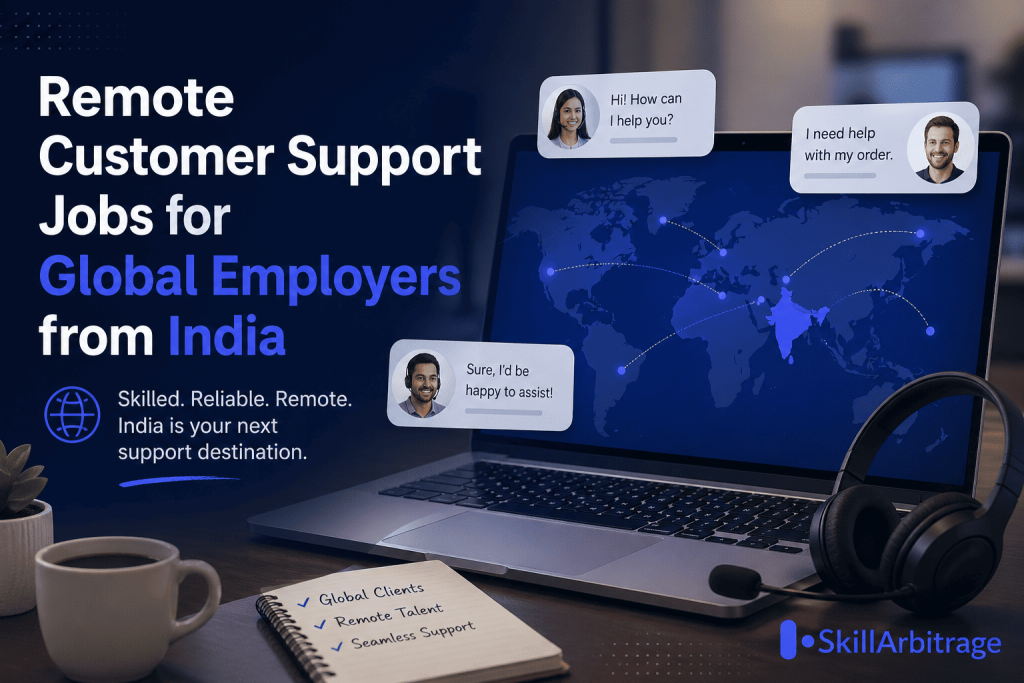

Most people think customer support means logging into a pre-built CRM, closing tickets within TAT, and chasing satisfaction ratings. That’s the MNC version. The global startup version is completely different and it pays 3x to 5x more.
Table of Contents
Why Customer Support at Global Startups Is a Different Game
At a typical MNC or BPO, growth is 5–10% a year. HR hires for you. The CRM is already configured. You’re a cog in a working machine.
High-growth startups operate at a completely different speed. Dropbox grew 3,900% in 15 months in its early phase. A 39x jump in a single year. Even average scaling startups expect 10% month-on-month revenue growth which means things break, queues explode, and processes need fixing on the spot.
You’ll feel like you’re flying an aeroplane while building it. That’s not a bug. That’s the job.
The Hidden Career Upside of Joining Early
Here’s the part nobody tells you:
- You earn 3x–5x what you’d make at a comparable Indian role.
- You learn to set up systems most people only operate within.
- Even if the startup fails, you’ve already been paid and the founders go on to bigger companies, where they refer you in.
- Heads you win, tails you don’t lose, and you might win much more.
Now let’s get into the actual playbook.
Step 1 — Choose the Right Customer Support Tool
The first decision is which helpdesk or CRM the company runs on. Pick based on:
- Company size and budget — a 10-person startup doesn’t need Salesforce Service Cloud.
- Support channels needed — email only, or chat, voice, and social too?
- Scalability — can it handle 10x volume in a year?
- Integrations — does it plug into the existing stack?
- Team’s technical comfort — pick tools the team will actually use.
Popular options include Zendesk, Freshdesk, Intercom, Help Scout, and Salesforce Service Cloud. For lean startups, Help Scout and Freshdesk usually win. For scaling B2B SaaS, Intercom and Zendesk lead.
Step 2 — Set Up Customer Support Automations and Rules
Once the tool is chosen, automations are what stop your inbox from drowning.
Build these from day one:
- Smart ticket routing based on keywords, customer type, or issue category.
- Auto-acknowledgment replies so customers know they’ve been heard.
- After-hours auto-responders with realistic response windows.
- Macros and canned replies for the top 20 recurring queries.
- Escalation rules for SLA breaches, VIP accounts, and unresolved tickets.
Good automation cuts first response time by 40–60% and frees agents to focus on real conversations.
Step 3 — Track Customer Support Agent Performance
You can’t manage what you don’t measure. Track these per agent:
- First Response Time (FRT)
- Average Resolution Time
- Customer Satisfaction Score (CSAT)
- Tickets resolved per day
- Reopen rate
Use the helpdesk’s built-in dashboards. Run weekly one-on-ones to coach agents on weak spots, and monthly team reviews to spot training gaps and reward top performers. The goal is improvement, not surveillance.
Step 4 — Master Listening and Empathy in Customer Support Calls
For voice and phone support, the skill that separates great agents from average ones is listening.
Train your team to:
- Let customers finish without interrupting.
- Take notes during the call.
- Confirm understanding by repeating key points back.
- Use empathy phrases like “I understand how frustrating this must be.”
- Manage tone, pace, and word choice to build rapport.
- De-escalate angry customers by staying calm and solution-focused.
This is also a powerful interview answer when global employers ask how you handle difficult customers.

Step 5 — Know When Customer Support Should Say Yes (and No)
Empowered agents delight customers. But empowerment without boundaries creates chaos.
Give your team room to:
- Offer refunds, credits, or expedited shipping when it’s genuinely warranted.
- Personalise solutions for high-LTV customers.
- Make small goodwill gestures that turn detractors into promoters.
But also give them a clear “no” framework:
- When a request violates policy.
- When saying yes would set a precedent that breaks at scale.
- When the customer is gaming the system.
Document every exception. Patterns in the exceptions tell you which policies need rewriting.
Step 6 — Build a Customer Support Knowledge Base
A solid knowledge base does two jobs at once: it deflects 30–50% of common queries through self-service, and it serves as a training resource for new hires.
What to include:
- FAQs grouped by category
- How-to guides with screenshots
- Troubleshooting articles
- Short video tutorials for complex flows
- A search bar that actually works
Keep articles updated as the product evolves. An outdated knowledge base damages trust faster than no knowledge base at all.
Step 7 — Configure Custom Reports for Customer Support
Out-of-the-box reports rarely match what stakeholders actually want to see. Build custom reports by:
- Product line
- Customer segment (free vs. paid, SMB vs. enterprise)
- Time period
- Issue type
- Channel
Set up automated delivery daily backlog reports to support managers, weekly performance summaries to leadership, monthly trend reports to the founders. Use the data to spot bottlenecks, peak volume hours, and recurring product issues that engineering should fix at the source.
Step 8 — Track Customer Support Metrics That Actually Matter
Metrics break into three views.
Customer Perspective
- CSAT (Customer Satisfaction Score)
- CES (Customer Effort Score)
- NPS (Net Promoter Score)
- Time to resolution
Agent Perspective
- Workload balance
- Job satisfaction and burnout indicators
- Training effectiveness
- Career growth opportunities
Organisation Perspective
- Cost per ticket
- Support team efficiency
- Revenue impact of support quality
- Churn reduction tied to support
- Customer Lifetime Value (CLV) influenced by support experience
Reporting on all three makes you a strategic operator, not just a ticket-closer.
Step 9 — Build a Customer Support Training Program
A repeatable training program is what lets the function scale without quality dropping.
Onboarding should cover:
- Product knowledge
- Helpdesk tool proficiency
- Communication and writing skills
- Company policies and SLAs
- Common scenarios with role-playing
Ongoing development should include:
- Weekly knowledge-sharing sessions
- Monthly skill workshops
- Quarterly refreshers on new features
Add a progression path — Junior → Senior → Lead — with clear criteria. Career visibility is one of the biggest retention levers in support.
Step 10 — Help Global Employers Hire Customer Support Talent From India
This is where Indian professionals become genuinely valuable to startups in the US, UK, Europe, the Middle East, Singapore, Canada, and to fast-growing Indian MNCs and GCCs.
You can:
- Manage end-to-end recruitment.
- Conduct interviews and assess candidates for communication, technical fit, and cultural alignment.
- Set up remote work infrastructure — time zone overlap rules, async communication norms, performance monitoring.
- Coordinate compliance, payroll, and contractor paperwork.
- Bridge cultural differences between Indian teams and global founders.
Even at a 600+ person company like Addictive Learning, the need keeps growing more automations, more AI, more chatbots. As the company grows, the workload grows. As long as you can solve business problems through support and ops, you’ll stay in demand.





 Allow notifications